The best free AI image generator depends on one question: do you want a picture of anything, or a picture of you? For pure text-to-image, Google Gemini (about 20 images a day) and Microsoft Designer (about 15 fast generations a day) give the most free images. Leonardo AI gives the most control. If you want your own face in the scene — you in Paris, on a beach, in a Christmas card — the PixiFixi AI image generator is built for exactly that, and it lets you edit the result straight away. Disclosure: PixiFixi is our product; we rank it first only for the “your face in the image” use case. Below are the nine free AI image generators worth your time in November 2026, with their real free limits.
Best free AI image generators at a glance
Free allowances change often and several companies no longer publish exact numbers. The figures below were checked in November 2026; where a company does not publish a limit, we say so instead of guessing.
Tool
What you get free
Best for
Your face in the image
Edit the result
PixiFixi
Free credits on sign-up, 1 credit per Standard image
Images with you in them, then editing
Yes — add your photo
Yes — 15 editing tools
ChatGPT
A few images a day (OpenAI does not publish the number)
Conversational tweaks
Yes, by uploading a photo
By chatting
Google Gemini (Nano Banana 2)
A daily quota; last published at about 20 images a day
Fast, realistic images
Yes, by uploading a photo
By chatting
Microsoft Designer / Bing Image Creator
About 15 fast generations a day, slower ones after
Quick free illustrations
No
Basic
Adobe Firefly
About 25 generative credits a month
Commercially safer images
Limited
Yes, in Adobe apps
Leonardo AI
150 tokens a day (roughly 15–30 images)
Control over style and models
Limited
Yes
Ideogram
A small weekly credit allowance
Text inside images (posters, logos)
No
Basic
Meta AI
Free, limit not published; images carry a watermark
Casual images in WhatsApp and Instagram
Varies by app and region
Basic
Canva
A limited number of free AI uses
Designs, social posts
No
Yes, in Canva
Free limits checked November 2026. Third-party reports disagree for ChatGPT, Gemini and Ideogram, so treat those figures as approximate.
How we picked the best free AI image generators (and where PixiFixi fits)
We judged every AI image generator on four things that matter to people who do not want to pay up front:
The real free allowance — not the trial banner, but how many usable images you get a day or a month.
Quality at the free tier — some tools quietly give free users an older or smaller model.
Your own photo — whether the generator can keep a real person’s face, which most text-only tools cannot.
What happens after — whether you can fix a detail, change the background or upscale the image without moving to another app.
1. PixiFixi — best free AI image generator for pictures with your face
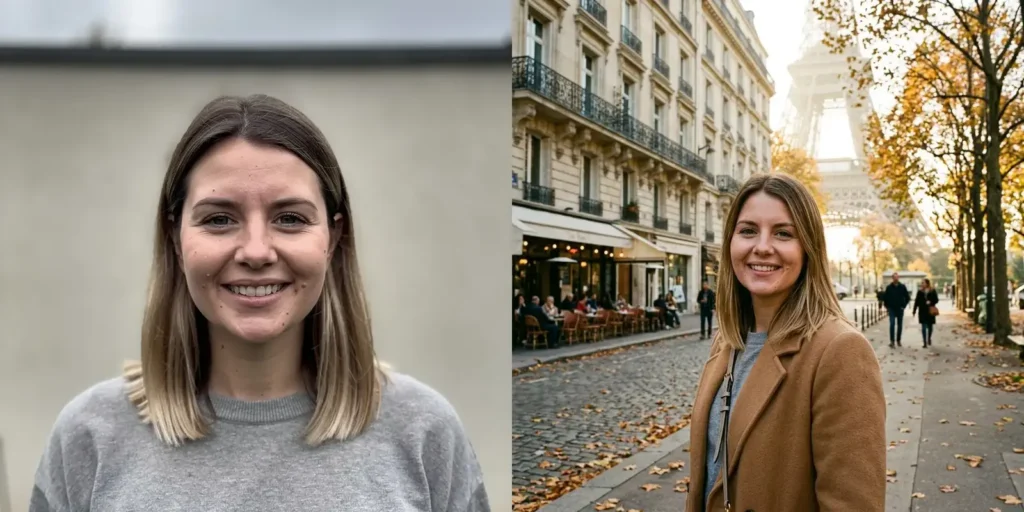
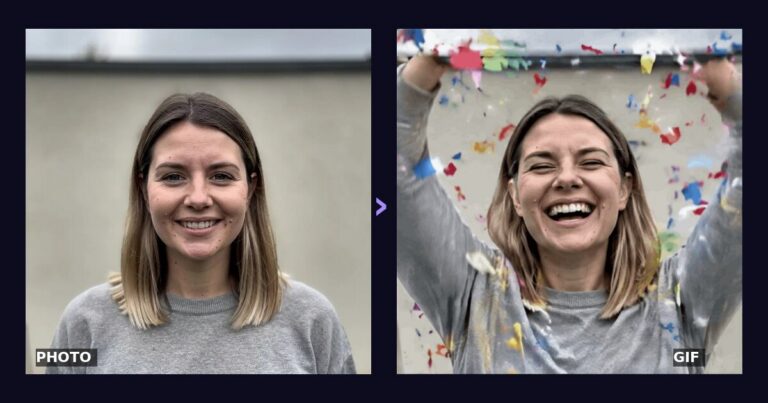
One ordinary portrait plus one sentence of description. The face stays the same person.
Your photo can look like this too
Try it on your own picture — no card, no subscription, and you get free credits to start.
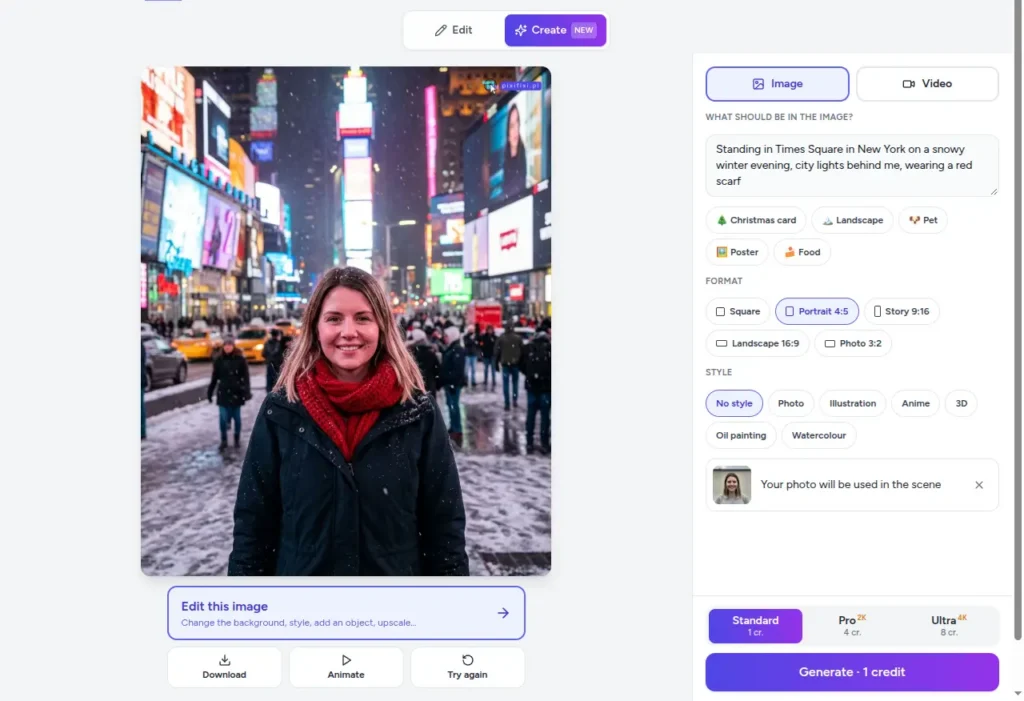
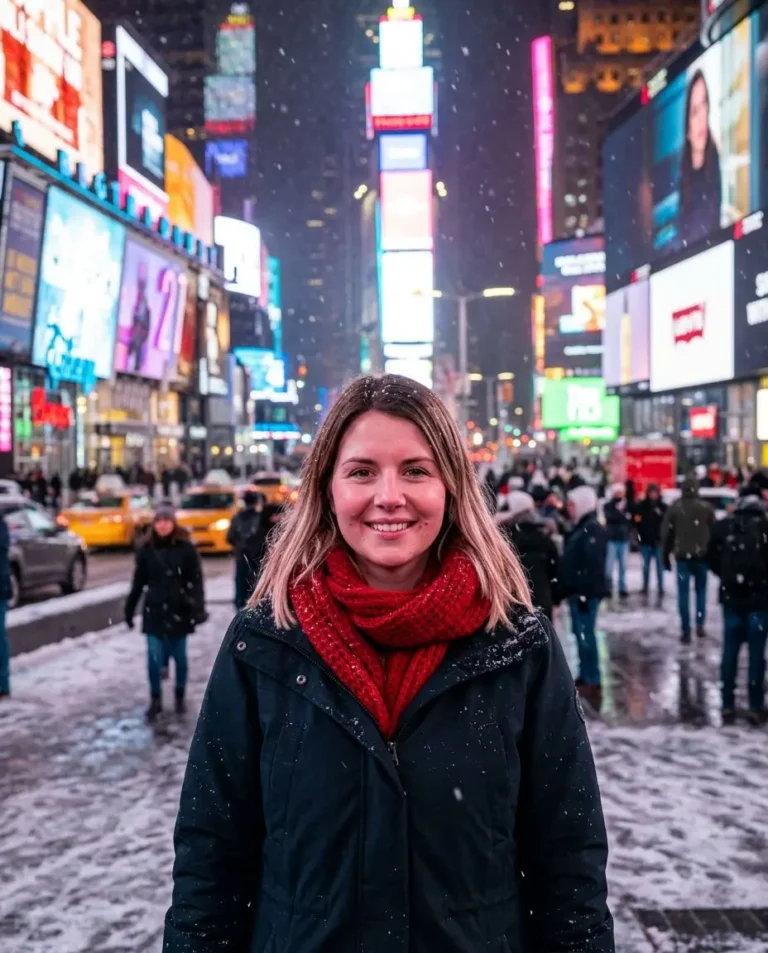
PixiFixi is an AI photo editor with a Create mode, so the PixiFixi AI image generator sits next to fifteen editing tools. That combination is why it leads for pictures with real people in them: you can generate an image from a description, add your own photo so the AI places you in the scene, and then keep working on the result in the same window.
Formats: square 1:1, portrait 4:5, story 9:16, landscape 16:9 and classic photo 3:2.
Styles: photo, illustration, anime, 3D, oil painting and watercolour, or no style at all.
Quality: Standard (1 credit), Pro in 2K (4 credits) and Ultra in 4K (8 credits).
Create mode in PixiFixi: one description, a format, your photo, and the generated image with an Edit button.
Free allowance: in most countries new accounts get free credits with no card and no subscription. Downside: you need an account, and heavier use means buying a credit pack.
2. ChatGPT — best for changing an image by conversation
ChatGPT generates images inside a chat, so you can ask for a change in plain words — “make the sky darker”, “move the dog to the left”. It also accepts an uploaded photo. The free plan gives only a few images a day and OpenAI does not publish the exact number; the limit message in the app shows when it resets. It is a strong choice when you want to iterate on one idea, weaker when you need many images or a specific format.
3. Google Gemini (Nano Banana 2) — best free daily quota
Gemini runs Google’s Nano Banana 2 image model and gives free users a daily quota, last published at about 20 images a day. Quality is very good for realistic scenes and product-style shots, and you can upload your own photo. Like ChatGPT, everything happens in a chat, so there are no format or style buttons and no dedicated editing tools after the image is made.
4. Microsoft Designer and Bing Image Creator — best for quick free illustrations
Microsoft’s free image generator gives about 15 fast generations a day and keeps working at a slower speed after that. It is the easiest free option if you only need illustrations, icons or simple social graphics. It does not put a real person’s face into an image.
5. Adobe Firefly — best for commercially safer images
Firefly is trained on licensed content, which makes it popular with businesses. The free plan includes about 25 generative credits a month — enough to try it, not enough for daily use. Its advantage is integration with Photoshop and Express if you already work in Adobe apps.
6. Leonardo AI — best for control over style
Leonardo gives 150 tokens a day, which translates into roughly 15–30 images depending on the model and settings. It offers more knobs than any other free tool: models, styles, image guidance. On the free plan your images are public, so it is not the right place for private family photos.
7. Ideogram — best for text inside images
Ideogram is the free AI image generator to use when the picture must contain readable text, such as a poster headline or a logo. The free allowance is a small weekly batch of credits and free images are public.
8. Meta AI — best inside WhatsApp and Instagram
Meta AI creates images straight inside WhatsApp, Instagram and Messenger. It is free, Meta does not publish a limit, and the images carry a visible watermark. Handy for a quick joke image in a group chat, less so for anything you want to print or post as your own work.
9. Canva — best for finished designs
Canva’s AI image generator is one feature among many: you generate an image and immediately drop it into a social post, presentation or flyer template. The free plan includes a limited number of AI uses.
Open-source option: Stable Diffusion and FLUX on your own computer
If you have a gaming PC with a decent graphics card, open-source models such as Stable Diffusion or FLUX run locally with no daily limit and no account. The trade-off is setup time, a powerful GPU and no ready editing tools — for most people a web generator is faster.
Which free AI image generator should you choose: PixiFixi, Gemini or ChatGPT?
Generated in PixiFixi from one sentence: “A cosy living room on Christmas Eve, a tree with warm lights, presents under it, snow falling outside the window”.
You want yourself in the picture — a holiday card, a profile photo in a new place, a fun scene with your face: PixiFixi.
You want the most free images per day from text alone — Gemini or Microsoft Designer.
You want to refine one image by talking to it — ChatGPT.
You need readable text in the image — Ideogram.
You design social posts and flyers — Canva.
You want a professional-looking portrait rather than a new scene — try an AI photoshoot instead: 900+ ready scenes for your face.
How to get better results from any AI image generator
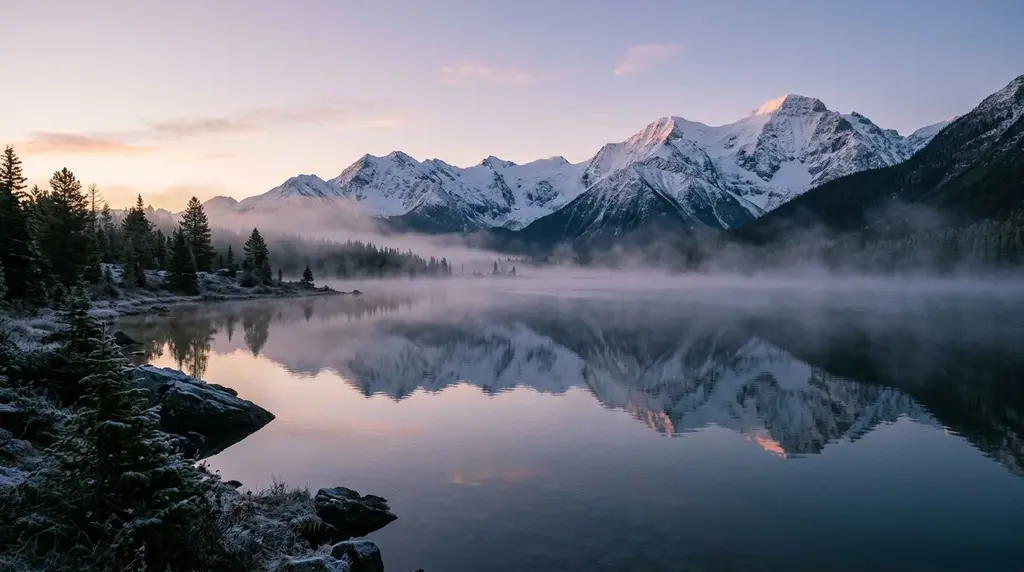
“A mountain lake at dawn, mist over the water, snowy peaks reflected in the surface” — landscape format 16:9.
Describe four things: the subject, the place, the light and the mood. “A cat asleep on a windowsill, snow outside, warm lamp light” beats “a cat”.
Pick the format before you generate. 9:16 for Stories and TikTok, 16:9 for wallpapers and YouTube, 1:1 for profile pictures.
For your own face, use a photo where the face fills the frame. The fewer pixels the face has, the less the result looks like you.
Keep text out of the prompt unless the tool is good at it; add words later in a design app.
Start cheap, then upscale. Generate a few Standard versions, pick the best, and upscale that one for print.
Frequently asked questions
What is the best free AI image generator?
For text-only images with the biggest free daily quota, Google Gemini and Microsoft Designer. For images with your own face that you can then edit, the PixiFixi AI image generator. For readable text inside images, Ideogram.
Is there a completely free AI image generator with no limits?
Not among the well-known ones. Every major generator limits free use per day, per week or per month, and several no longer publish the exact number. Tools that advertise “unlimited” usually use smaller, older models.
Which free AI image generator can use my own photo?
PixiFixi, ChatGPT and Gemini accept a photo of you. PixiFixi is the only one in this list with a dedicated “Add yourself” step and editing tools for the result.
Can I use AI-generated images commercially?
It depends on the tool’s terms. Adobe Firefly is the most explicit about commercial use. On free plans of Leonardo and Ideogram your images are public. Read each tool’s terms before using images in ads or products.
Is there a free AI image generator with no sign-up?
A few small sites offer it, usually with older models, low resolution or a watermark. All the well-known generators in this list — PixiFixi, ChatGPT, Gemini, Microsoft Designer, Firefly, Leonardo — need a free account, which is also what unlocks their free daily or monthly allowance.
Which free AI image generator is the most realistic?
For realistic scenes from text, Google Gemini and ChatGPT are the strongest free options. For realistic photos of yourself, PixiFixi keeps the face from your reference photo, and its Pro (2K) and Ultra (4K) tiers add resolution for print.
Is there a free AI image generator app for my phone?
PixiFixi runs in the phone browser with no app to install; ChatGPT, Gemini and Meta AI have their own apps. For quick social images any of them works on a phone.
Do I need to write prompts in English?
Not in PixiFixi — descriptions are translated for the AI engine automatically. ChatGPT, Gemini and Meta AI also understand most languages.
How do I make an AI image look like me?
Use a sharp photo where your face fills a good part of the frame, describe the scene rather than your face, and keep the description short. Our step-by-step guide shows how to create AI images from your photos.
Can I turn an AI image into a video?
Yes. In PixiFixi a generated image can be animated with one click, and the AI video generator makes 5–10 second clips from a description or a starting photo.