Printing
Prints, canvas, calendars or posters. Results up to about 17 megapixels print at 300 DPI up to about 13×14 inches.


Increase the resolution of a small photo from your phone, a messaging app or an old camera. The AI doesn’t stretch pixels — it rebuilds what a small file can’t show: eyelashes, single hairs, the knit of a sweater. Face, colours and framing stay the same.

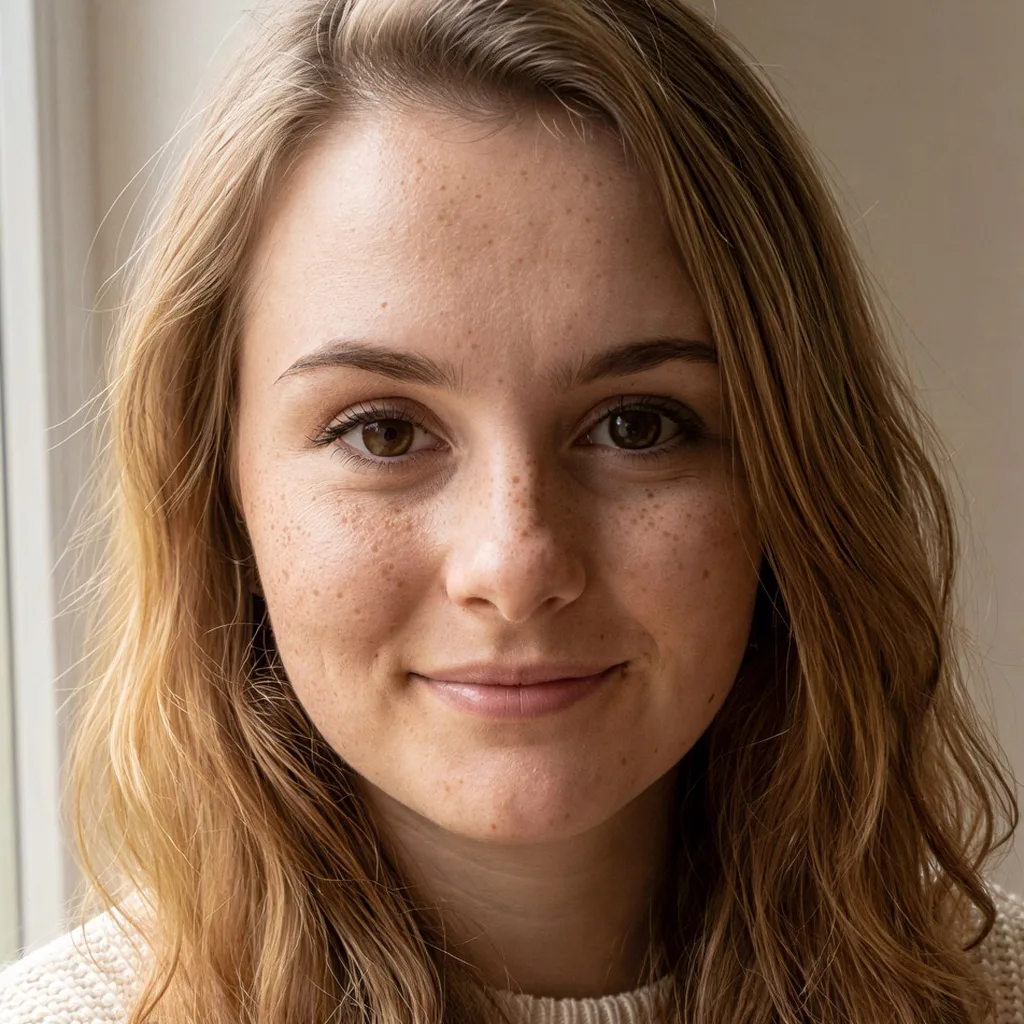
The photo is fine, just too small — for printing, a wallpaper or a shop page.
Prints, canvas, calendars or posters. Results up to about 17 megapixels print at 300 DPI up to about 13×14 inches.
Messenger and WhatsApp shrink photos. Upscaling brings back sharp faces and clears compression blocks.
A bigger image for your shop or marketplace listing — with a visible fabric texture instead of a blur.
A photo shoot, style or haircut change at higher resolution — without generating it again.
On the left, the small photo stretched to the same size; on the right, the upscaled result. Drag the slider and look at the eyelashes, hair and fabric.
A small phone photo, an image from the web or a result from another tool.
You see the result size right away, e.g. 600×800 → 2400×3200 px.
A few seconds later you have a higher-resolution photo, ready to print.
Flat price, no quality tiers — every upscale costs the same.
| Quality | Resolution | Cost | For |
|---|---|---|---|
| Upscale Photo | up to 4×, ~17 MP | 2 credits | any photo in the editor |
| HQ download | up to 4×, ~17 MP | 2 credits | a finished result, straight from history |
Step-by-step guide: step-by-step guide in the help center
Plain resizing (interpolation) always blurs the image, because software only averages neighbouring pixels. AI works differently: it recognises what is in the photo and adds the detail back — which is why the upscaled photo is sharp rather than blurry.
Up to 4×. Small photos (up to about 1000 px) get the full 4×, larger ones as much as keeps the result around 17 megapixels. The tool shows the target size before you pay anything.
No. The tool sharpens and adds fine detail, but it doesn’t redraw the photo — same person, same expression, hair and clothing.
A flat 2 credits per photo, whatever its size. New accounts get free starter credits.
Restoration repairs a damaged photo: it removes scratches, creases and stains and can colourise it. Upscaling only increases the resolution of a good photo. For an old print, restore first, then upscale.
A result of about 17 megapixels is e.g. 4000×4200 px. At 300 DPI — print-shop quality — that is about 13×14 inches, plenty for a Letter or A4 print and far more than a standard 4×6.
No. The upscaler runs in your browser on phone and desktop — upload a JPG, PNG or HEIC from your iPhone and download the result as a JPG.
Only you can see them. They never appear in any gallery, are not used to train models and are not shared with anyone. You can delete them at any time, or switch on automatic deletion after 7, 30 or 90 days.
Old or damaged photo? Remove scratches and creases first, then upscale.
Smooth the skin in a portrait before you upscale it for printing.
A product photo on white — then larger for your shop page.
Upload a photo and see it at higher resolution. Your first edits are free.
Upscale a photo freeNo card needed · Flat 2 credits