In short: PixiFixi’s Virtual Try-On lets you change clothes to a bikini or swimsuit in any photo using AI. Pick swimwear from the built-in wardrobe, upload a product photo from a store, or describe the swimsuit in plain English — the AI keeps your face, pose and background and swaps only the outfit. It works for bikinis, one-piece swimsuits, tankinis and men’s swim trunks. A result is ready in about 30 seconds for 1 credit, and every new account gets 2 free credits to start.
Buying swimwear online is a gamble — a bikini that looks great on the model can look completely different on you, and returns are a hassle. The easiest fix is to change clothes to a bikini or swimsuit with AI first: upload a photo, preview the swimwear on your own body, and only then decide. This guide shows you how to do it step by step in PixiFixi, which swimwear styles you can try, how to write good prompts, and what it costs.
You’ll sometimes see this kind of tool called a bikini clothes changer, a bikini dress changer or an outfit swap — it’s all the same Virtual Try-On. Whether you want to change a dress to a bikini, swap an everyday outfit for swimwear, or try a specific bikini from a store, the steps below are identical: the AI swaps only the outfit and keeps your face, pose and background.
When to change clothes to a swimsuit with AI
The most common reasons people use PixiFixi to put a bikini or swimsuit on a photo:
Swimwear shopping — see how a bikini or one-piece actually looks on your body before you buy, instead of guessing from a model photo
Holiday planning — preview beach and pool looks before a summer trip so you pack with confidence
Comparing styles — bikini vs one-piece vs tankini, different colors and cuts, side by side on the same photo
Social media and vacation content — fresh summer outfit ideas for Instagram or TikTok without a real beach photoshoot
Online swimwear stores — show one model in dozens of swimsuits without booking a photoshoot for every product
Body-confidence experiments — find the swimwear cut and color that flatters your shape before spending money
How to change clothes to a bikini with AI (step by step)
Upload a clear photo — front-facing, good lighting, showing the body area where the swimsuit will appear (at least down to the hips for a bikini).
Open the Virtual Try-On tool — the Wardrobe panel slides up automatically.
Choose your swimwear — pick a swimsuit from the wardrobe, upload a product photo from a store, or describe it in plain English (e.g. “red high-waisted bikini”).
Click Try On — the AI fits the swimsuit to your body, matches lighting and keeps your face and pose. One try-on costs 1 credit.
Download the result or run it again for a different color or cut.
Everything runs in your browser — nothing to install — and works the same on a phone or a computer. The three input methods (wardrobe, upload, describe) are explained in detail in the main AI clothes changer guide.
Which swimwear styles can you try on?
PixiFixi handles the full range of beachwear for women and men:
Bikini — classic, high-waisted, triangle, bandeau or sporty styles
One-piece swimsuit — from sporty racerback to elegant cut-out designs
Tankini — a more covered two-piece option
Beach cover-ups — sarongs, kaftans and sheer beach dresses over a swimsuit
Men’s swim trunks and board shorts — preview beach looks for men too
You can also pick a fit (slim, regular or oversized) for tops and bottoms, so a swimsuit sits the way you’d actually wear it.
Bikini vs one-piece vs tankini — which to try on first?
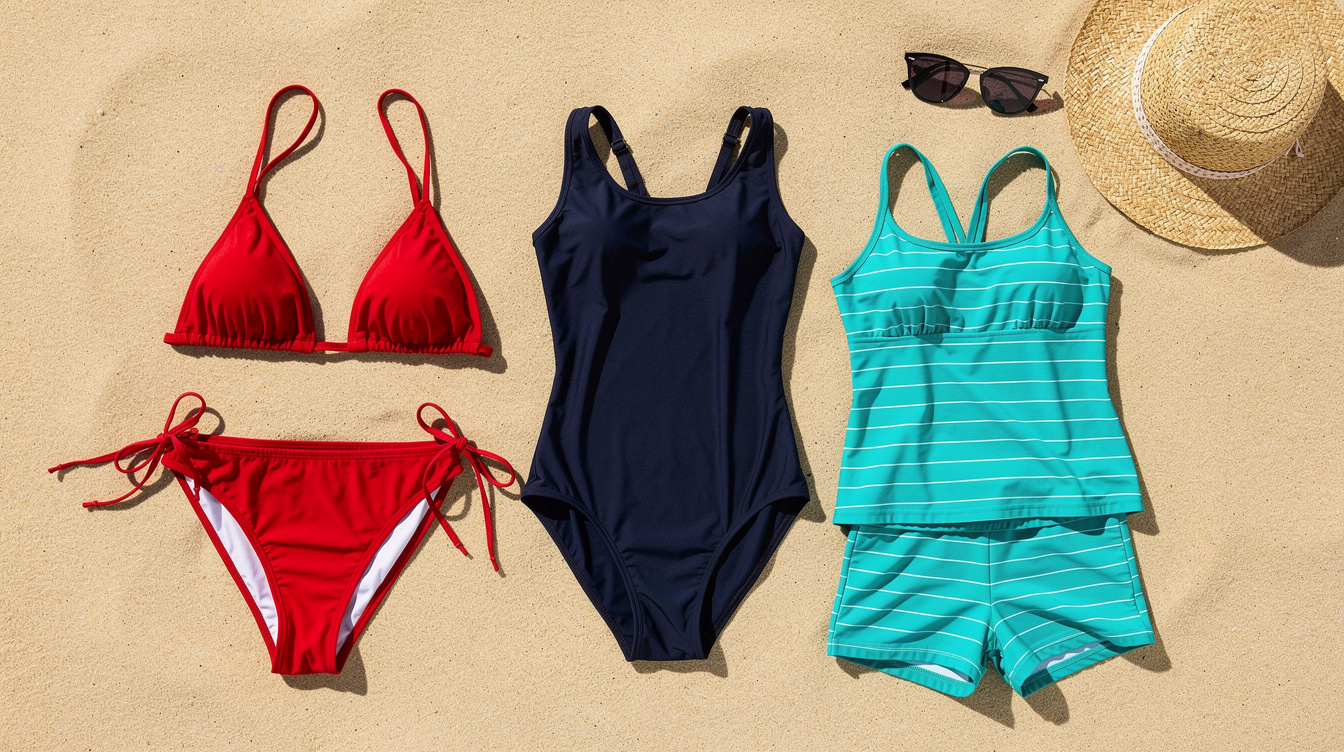
Three swimwear styles you can try on the same photo — bikini, one-piece and tankini.
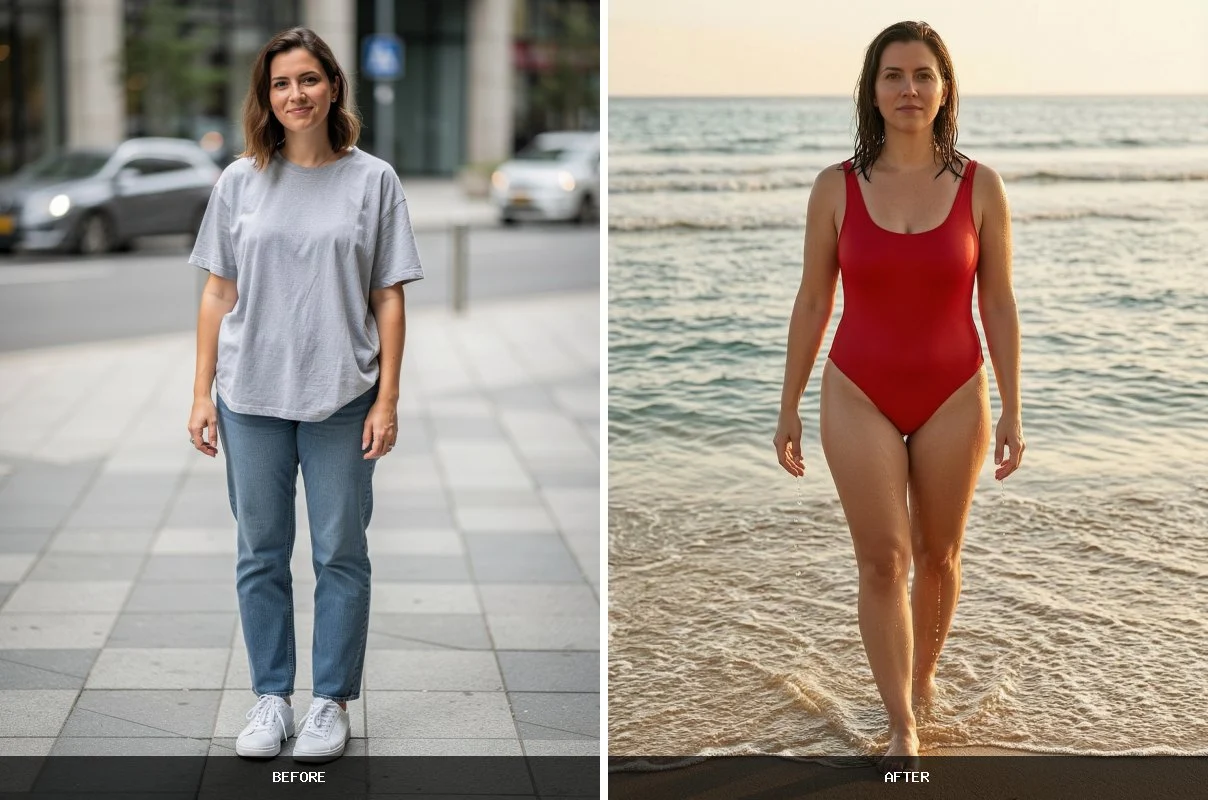
Your photo can look like this too
Try it on your own picture — no card, no subscription, and you get free credits to start.
Not sure where to start? Here’s the quick logic, then try each on your own photo to see what suits you:
Bikini — the most versatile for sunbathing and showing off a tan; high-waisted cuts feel more secure, triangle and bandeau are more relaxed.
One-piece — more coverage and support, great for swimming, sport and a sleek, elegant look; cut-out designs add interest.
Tankini — the middle ground: a two-piece feel with more torso coverage, easy to mix tops and bottoms.
Because each try-on is only 1 credit, the fastest way to decide is simply to run the same photo through all three and compare.
Best prompts for a bikini or swimsuit
If you describe the swimwear in text instead of picking it from the wardrobe, keep prompts simple and specific — include color, cut and style:
“Red high-waisted bikini with a halter top”
“Navy blue sporty one-piece swimsuit, racerback”
“Black triangle bikini with a sheer beach cover-up”
“Tropical print tankini, modest cut”
“Green men’s swim trunks with a white linen shirt”
Avoid mixing too many details in one prompt — the AI handles a single, well-defined swimsuit far better than a complex multi-style description. For an exact item you already have in mind, uploading its product photo works better than describing it.
Tips for a realistic swimsuit try-on
Use a clear, well-lit, front-facing photo — soft natural light and a plain background give the cleanest edges
Show enough of the body — a bikini needs at least a hip-up frame; a full-length photo works best for one-pieces
Stand naturally and face the camera — avoid twisted poses or arms covering the torso
Switch the fit or color and re-run — each try-on is 1 credit, so it’s cheap to compare a few options
Like a result? Use HQ upscale from your History for a sharper, higher-resolution version
Want the whole beach scene? Try an AI bikini photoshoot
A try-on and a photoshoot answer two different questions. Virtual Try-On keeps your photo exactly as it is and swaps only the outfit — right for “how would this bikini look on me?”. An AI bikini photoshoot rebuilds the whole picture around you — beach, pool, yacht, lighting and pose — right for “how would I look on holiday?”. Your face stays yours in both.
One everyday photo in, a beach photoshoot out — same face, same build, new scene.
The Photoshoot tool has a dedicated Bikini & Swimsuits category with 36 ready-made scenes, so you don’t have to describe anything — just pick one:
Beach and sea — a golden-hour shoreline walk, sand dunes, a wooden pier, a sunset silhouette, a beach bar
Pool and resort — a poolside lounger, an infinity pool over the sea, a rooftop pool in the city, a hammock between palms
One-piece swimsuits — classic black, elegant white on coastal rocks, a modern cut-out design, red walking out of the sea, and metallic gold by a lit pool at dusk
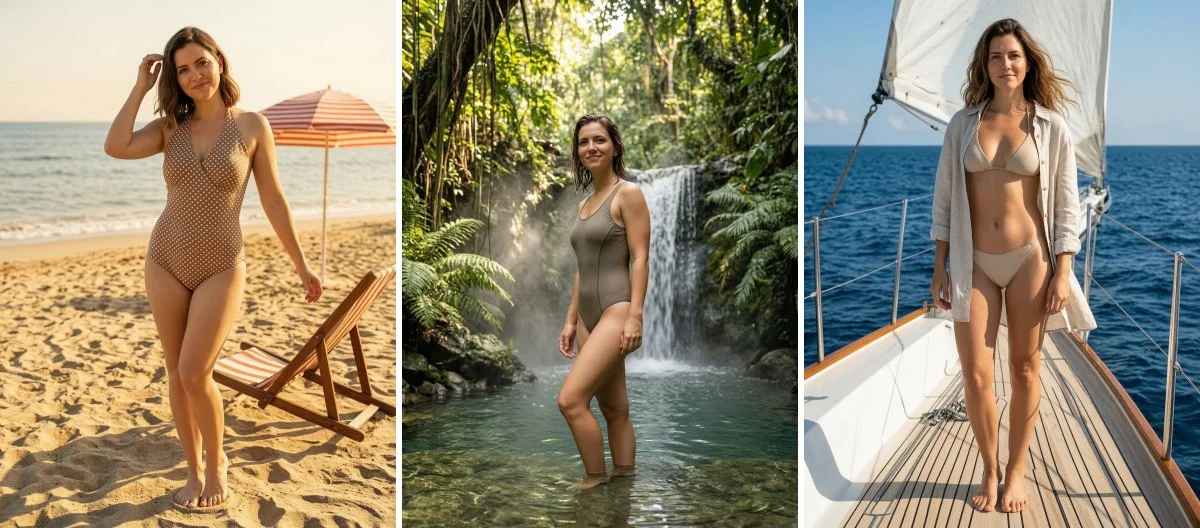
Active and retro — beach volleyball, surfing, a jungle waterfall, a clean studio shot, black and white, 1950s pin-up, a high-waisted Riviera look
Three of the 36 scenes — retro pin-up, a jungle waterfall and a yacht deck — all from the same photo.
A photoshoot costs 2 credits per scene (a try-on is 1), and you can pick up to four scenes at once and get them all back as separate photos. For the best result use a photo that shows more of you than head and shoulders — a scene built around a full-length photo looks far more natural.
AI swimsuit try-on vs buying blind vs a beach photoshoot
Feature
AI swimsuit try-on (PixiFixi)
Buying blind online
Studio / beach photoshoot
Time
~30 seconds
days of shipping
hours + booking
Cost
1 credit
risk of paid returns
photographer fee
See it on you first
Yes
No
Only after buying
Compare several styles
Yes, instantly
No
No
Works from home
Yes (browser)
Yes
No
For deciding what to buy or pack, an AI try-on is the fastest, cheapest way to see a swimsuit on your own body before you spend anything.
How much does it cost?
Every swimsuit try-on costs 1 credit — Virtual Try-On has no quality tiers, so the price is the same each time. New accounts get 2 free credits, which means 2 free try-ons to start. After that you buy only what you need; there’s no subscription and credits don’t expire.
Package
Price (USD)
Swimsuit try-ons
Free start
$0
2 (new account bonus)
10 credits
$2.99
10
30 credits
$6.99
30
60 credits
$9.99
60
100 credits
$18.99
100
Pricing is available in USD, EUR, GBP and INR, with card, Google Pay, Apple Pay, PayPal and UPI supported.
Is it safe and appropriate?
PixiFixi is built for everyday use — swimwear shopping, holiday planning, social content and online stores. Use it responsibly:
Only edit photos you own or have clear consent to modify
Keep it appropriate — PixiFixi has built-in content moderation that blocks inappropriate uploads and outputs
Your photos stay private — they’re used only to generate your result, stored on secure servers, and are not used to train AI models
Frequently asked questions
Can I change clothes to a bikini for free?
Every new PixiFixi account gets 2 free credits, and one swimsuit try-on costs 1 credit — so your first two bikini try-ons are free. After that, credit packages start at $2.99 for 10 credits, with no subscription and credits that never expire.
Will my face and body stay the same?
Yes. The Virtual Try-On tool replaces only the clothing — it preserves your face, hair, pose and the background. The result is recognizably you, just wearing the swimsuit you chose.
Can I try a swimsuit from an online store?
Yes. Upload the product photo from the store — ideally on a plain or white background — and the AI will fit that exact swimsuit to your photo. This is the most accurate way to preview a specific item before buying.
Does it work for men’s swimwear?
Yes. You can preview men’s swim trunks and board shorts the same way — pick them from the wardrobe, upload a product photo, or describe them in text.
What photo works best for a bikini try-on?
A clear, front-facing, well-lit photo with a plain background, showing at least the body from the hips up for a bikini, or full-length for a one-piece. Avoid twisted poses, heavy shadows and arms covering the torso.
Can I compare different swimsuits?
Yes. Each try-on is just 1 credit, so you can run the same photo with several bikinis, one-pieces or colors and compare them side by side before deciding what to buy or pack.
Does it work on a phone?
Yes. PixiFixi runs entirely in your browser on iOS and Android — no app to install. Upload from your phone and get the result on your phone.
What's the difference between a bikini try-on and a bikini photoshoot?
A try-on keeps your original photo and changes only the swimwear, so it answers "how would this bikini look on me?" for 1 credit. A photoshoot rebuilds the whole scene around you — beach, pool, yacht, lighting and pose — and costs 2 credits. Both keep your own face.
How many bikini and swimsuit photoshoot scenes are there?
The Bikini and Swimsuits category has 36 ready-made scenes — one-piece swimsuits in black, white, red and gold, classic and high-waisted bikinis, a poolside lounger, a golden-hour beach walk, a yacht deck and a 1950s pin-up shot. You can select up to four at once and get each one back as a separate photo.