To make an 80s AI photo, upload your portrait to PixiFixi, open the Photo Shoot tool and pick one of 40 ready-made 1980s scenes. You do not write a prompt — the outfit, the hairstyle, the pose, the lighting and the film stock are already built into each scene. One photo costs 2 credits and takes about 30 seconds.
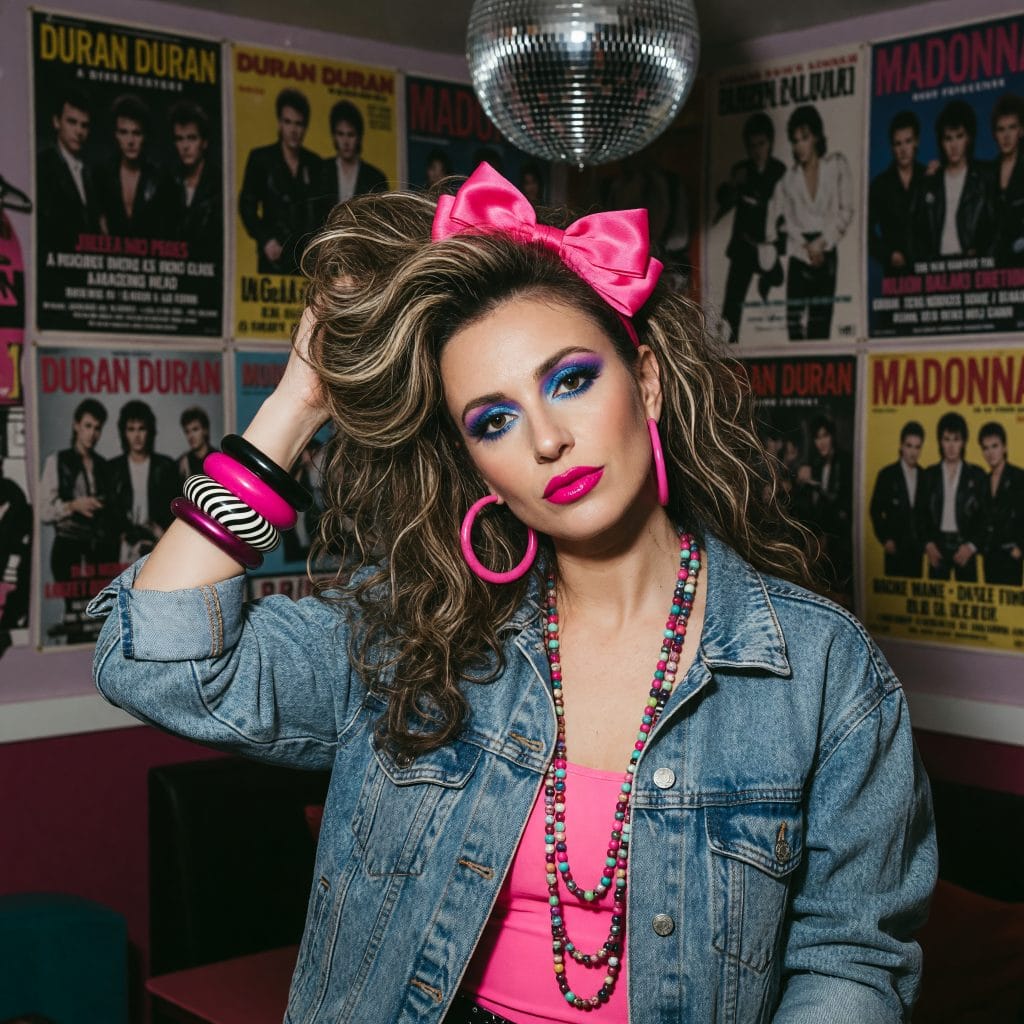
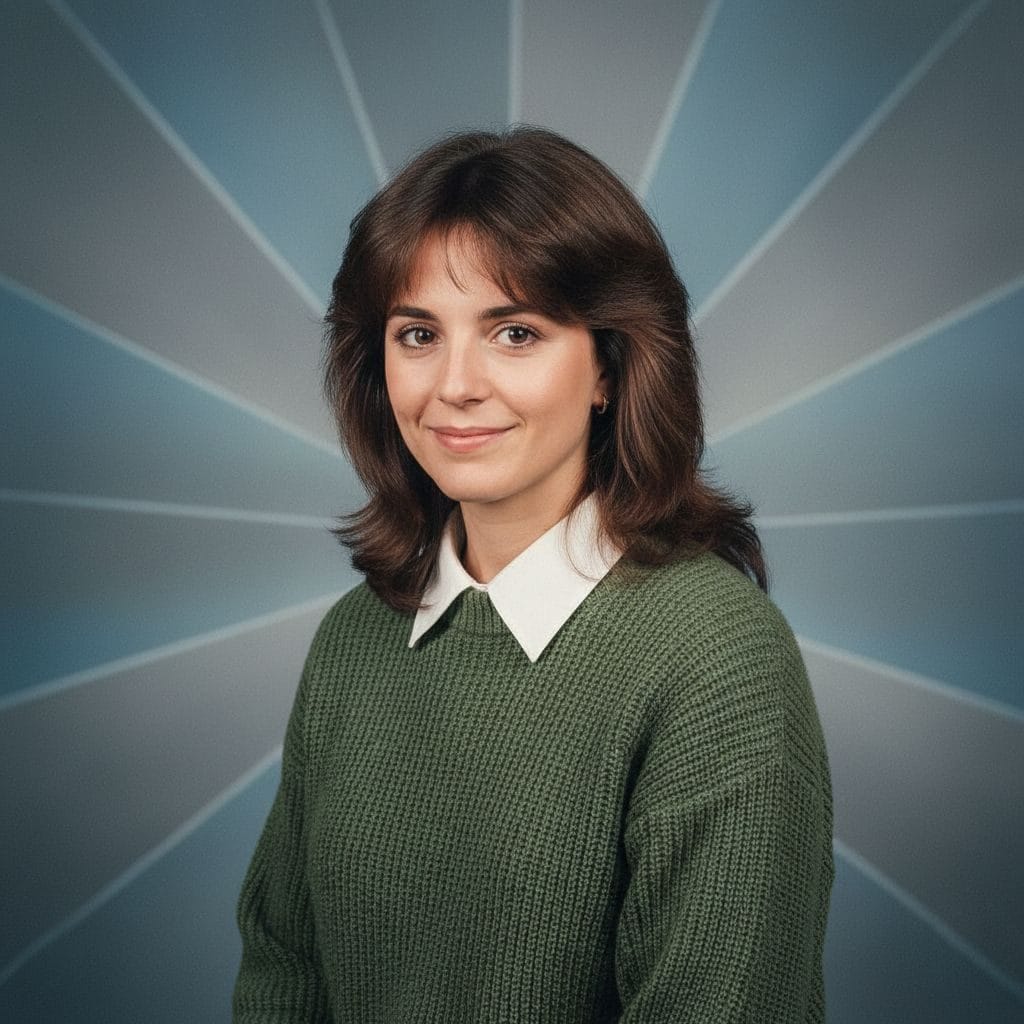
Backcombed hair, a pink bow, hoop earrings and acid-wash denim — the version dominating social feeds. Generated in PixiFixi from an ordinary photo.A 1980s yearbook portrait generated in PixiFixi from an ordinary photo — no prompt written.
What is the 80s AI photo trend?
It is a social-media trend in which people feed a present-day selfie to an AI image tool and get back a portrait that looks like it was taken in the 1980s — period clothes, period hair, a studio backdrop, on-camera flash and faded film colour. It spread through Instagram Stories and Facebook in autumn 2026, mostly via ChatGPT and Gemini prompts, and news outlets have been publishing copy-paste prompt lists for it ever since.
It is worth separating this from the AI yearbook trend, which people sometimes confuse it with. That one ran in October 2023, was built around the Epik app, and was mostly about 1990s school photos. The current trend is a different thing: the whole 1980s, not one school-photo format, and it runs on general-purpose image models rather than a single app.
Why your 80s AI photo looks like cyberpunk
If your results come back with purple fog, pink-and-blue neon stripes and a face like a skincare advert, you did not get the 1980s. You got synthwave — a look invented around 2015 that imitates the decade. It comes from games and music videos, and image models lean on it because the internet holds far more of it than of actual photographs from the period.
So typing “make me look like the 1980s” usually is not enough. The model takes the phrase, reaches for the most common association and adds neon and haze. It looks striking for about three seconds, and then you notice it is artwork, not a photograph.
The real 1980s were surprisingly ordinary. Colour came from film stock, not from a filter. Light came from a fluorescent tube in the ceiling, a bulb in a table lamp, or the flash built into the camera — the one that blows out the foreground and throws a hard shadow on the wall behind. Photos were slightly faded, visibly grainy and close to square. Nobody stood in purple fog.
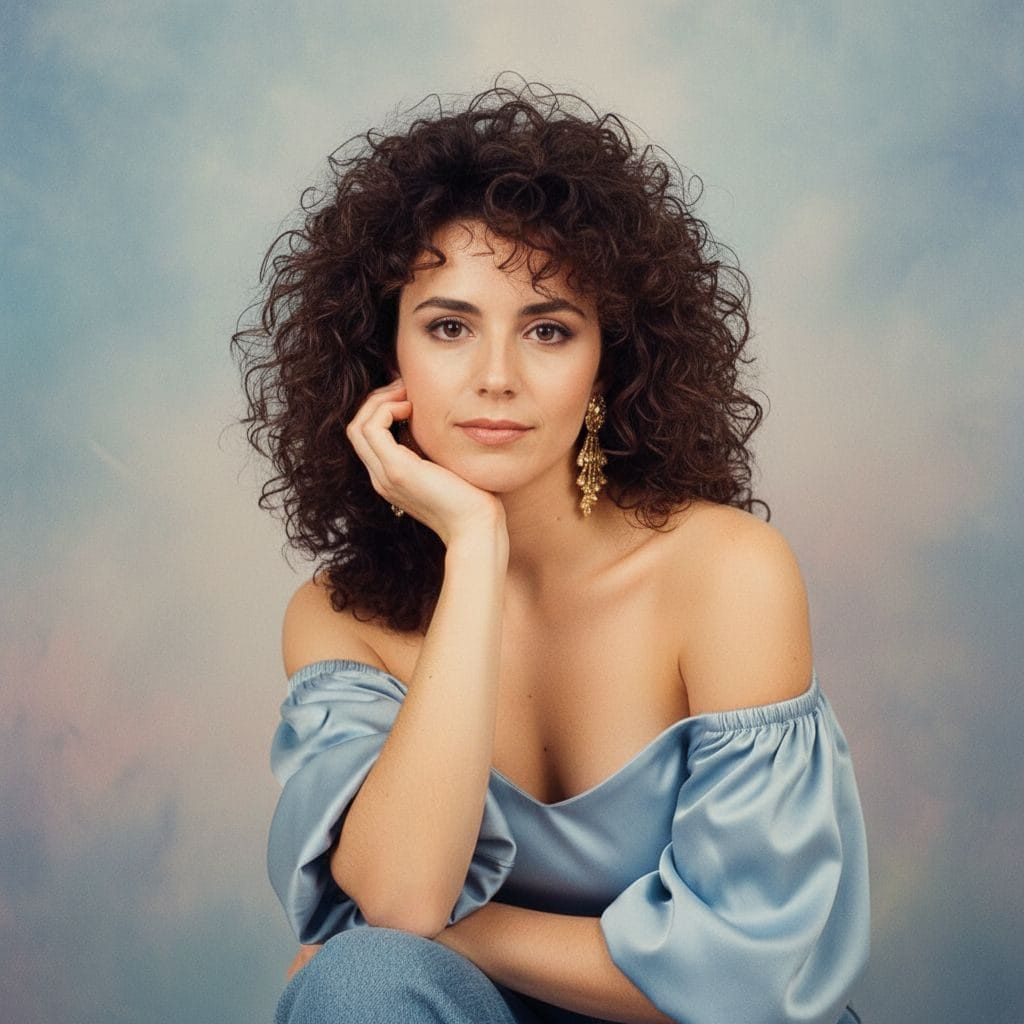
The mall glamour shot: perm, satin off the shoulder, chin on the back of the hand. The pose is as period-specific as the hair.
Your photo can look like this too
Try it on your own picture — no card, no subscription, and you get free credits to start.
The decade photographs two completely different ways and both are authentic. Knowing which one you want changes the scene you should pick.
The family album look — muted, slightly faded, lit by a fluorescent tube or an on-camera flash. This is how the vast majority of real photographs actually looked: yearbook portrait, concrete estate, house party, living room.
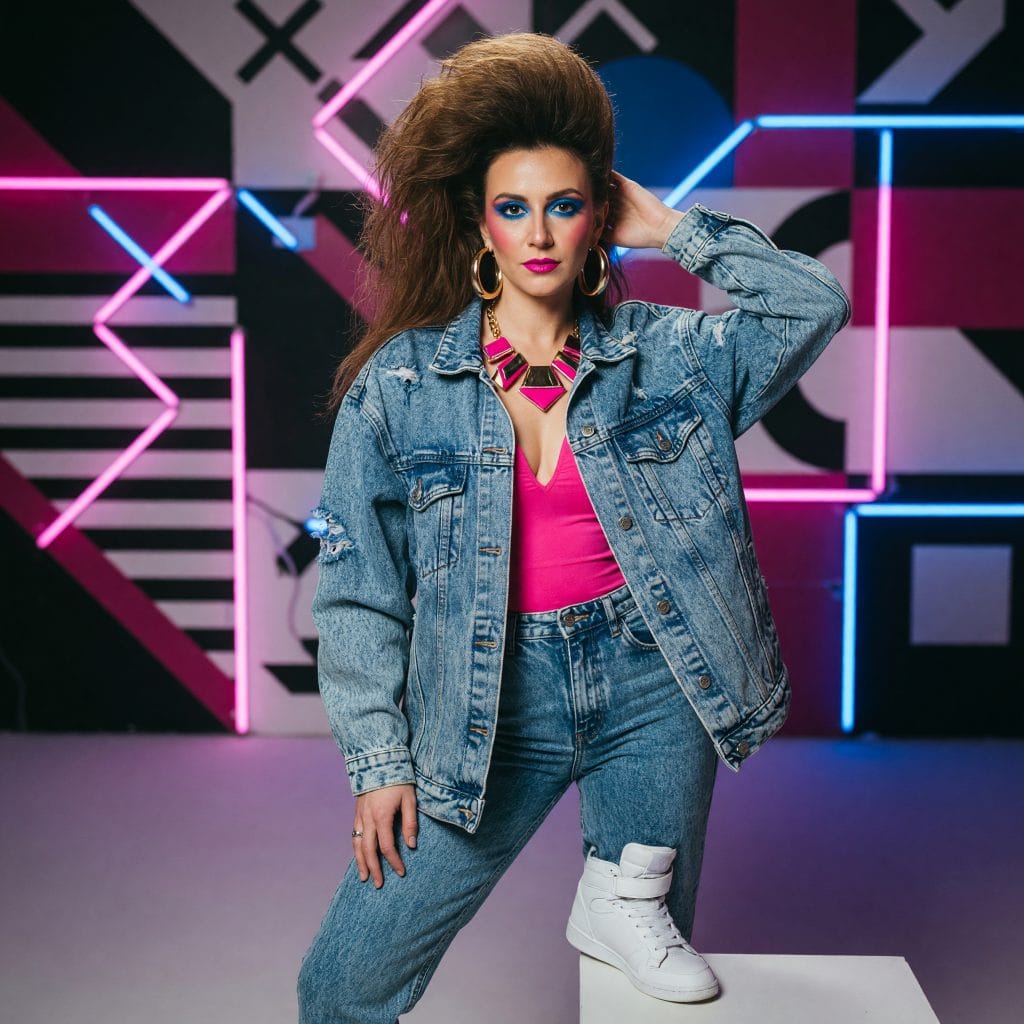
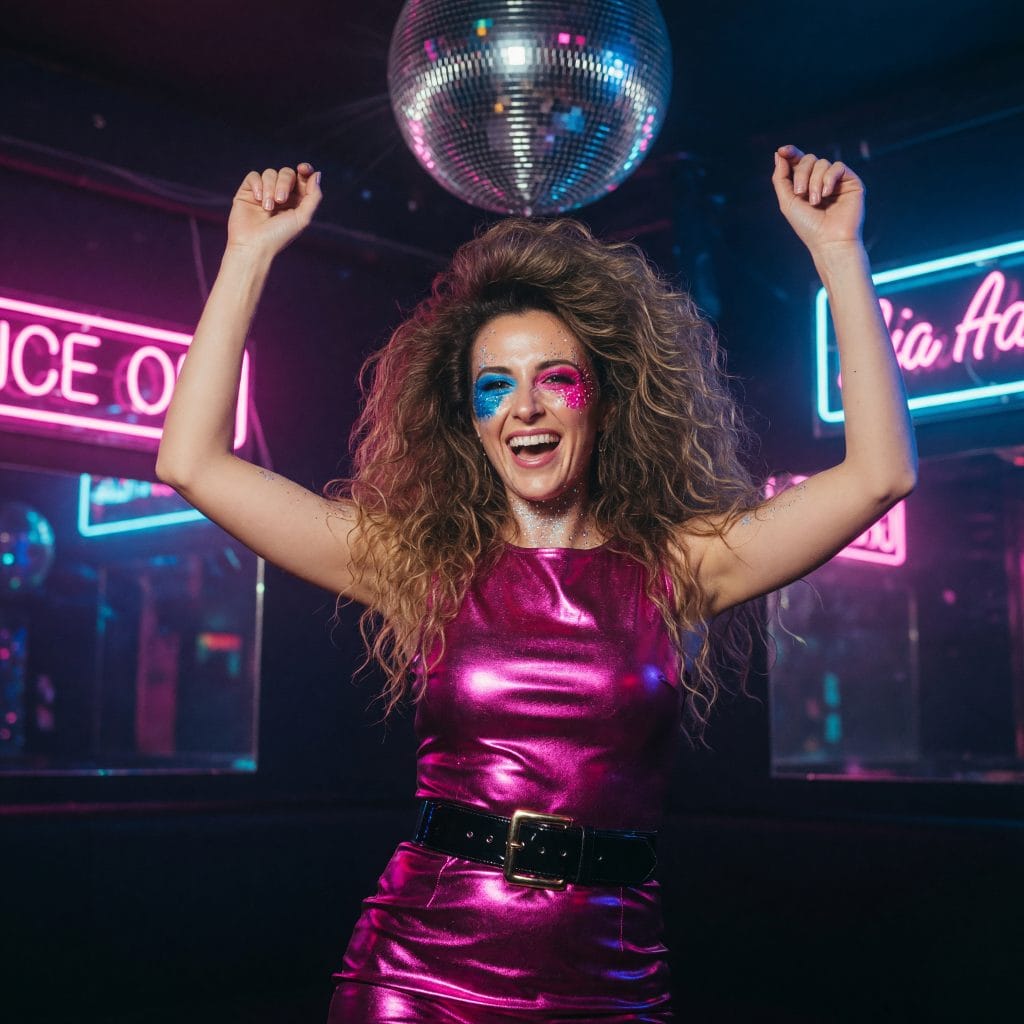
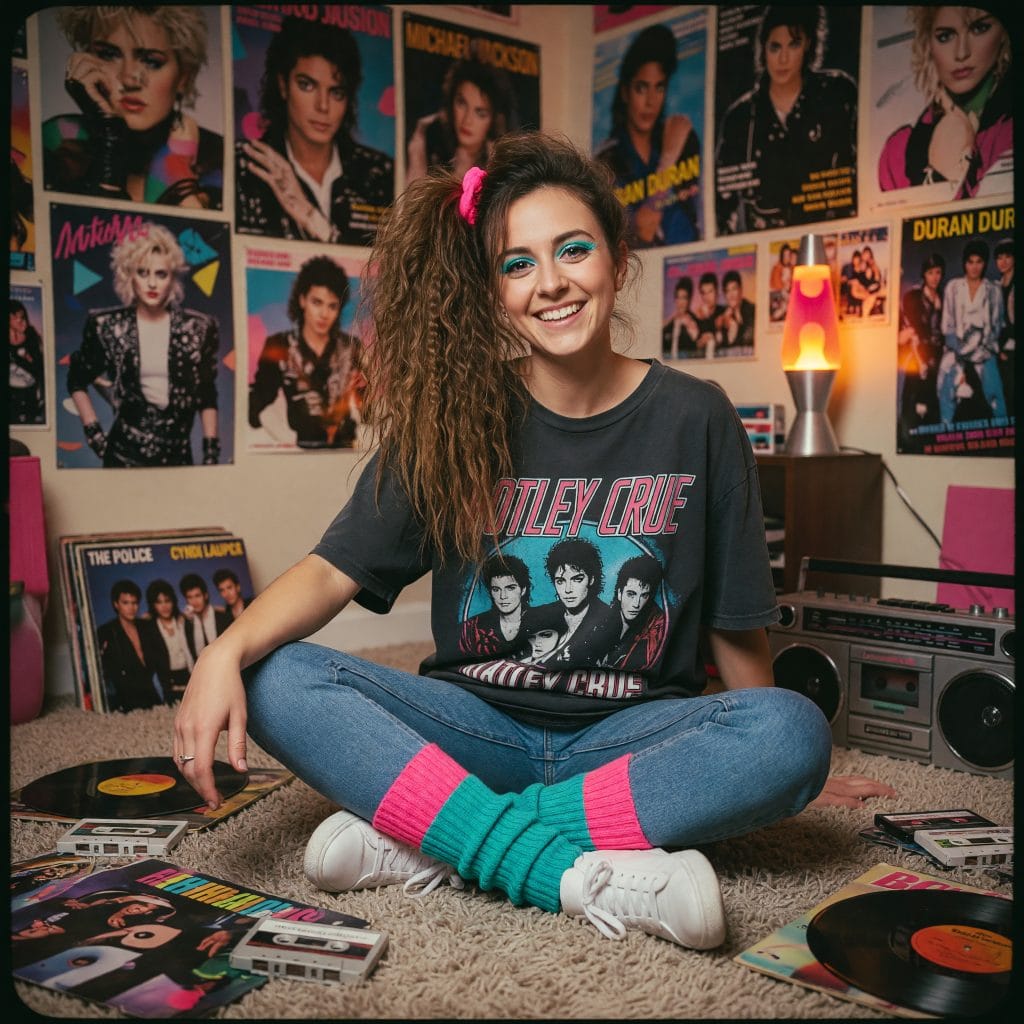
The poster and music-video look — fuchsia, turquoise, a mirror ball, enormous backcombed hair, acid-wash denim, a neon sign on the wall. These are the 1980s of cassette covers and MTV, and this is the version dominating social feeds right now: neon studio, album cover, teen bedroom, shell suit, big hair glam.
There is one line worth not crossing, and it decides whether the shot reads as the 1980s or as cyberpunk. Neon as set dressing — signage, a mirror ball, bright clothing — is pure period pop culture. Neon as face lighting — purple haze, pink-and-cyan rim light on the cheeks — is synthwave from around 2015. In the loud scenes the face is lit by flash and the neon stays where it belongs: behind you.
The “Neon Studio” scene — neon on the wall, flash on the face.“Neon Disco” — mirror ball and signage behind, not on the skin.“Teen Bedroom” — band posters, vinyl and a boombox.
What actually makes a photo look 1980s
Five things, and most prompt lists only cover two of them.
The hair, above everything else. This is the single strongest period signal and the one people most often leave out. Feathered layered wings, a backcombed mane, tight short perm curls, a swept-up quiff, a high side ponytail with a crimped fringe — the decade is legible from the hair alone.
The pose. People stood differently for a camera in 1985: squared to the lens, chin on the back of a hand, body angled away with the face turned back over the shoulder. A modern casual phone-photo stance quietly breaks the illusion even when everything else is right.
The clothes. Padded shoulders, satin, colour-block tracksuits, knitted sweaters over collared shirts, statement earrings.
The light source. Fluorescent tube, tungsten bulb or direct on-camera flash — never an even modern softbox glow, and never neon on the face.
The film. Kodak Gold, Kodachrome, Ektachrome, Ilford for black and white. Each one has its own colour bias, and that bias is what people read as “old photo”.
Every one of the 40 scenes in PixiFixi carries all five, plus an explicit instruction not to add neon or haze. That is the whole difference between a 1980s photo and a photo of the 1980s aesthetic.
How to make an 80s AI photo, step by step
Open the PixiFixi editor and upload your photo. Signing up takes seconds and you get free credits to start.
Select the “Photo Shoot” tool in the bottom toolbar.
Open the “80s Retro” category — it sits first in the category list.
Tap a scene: yearbook portrait, disco floor, aerobics class, video arcade, house party, and so on.
You can select up to 4 scenes at once and generate them together to compare.
Hit Apply. Your photo is waiting in History about 30 seconds later.
No prompt engineering, no copy-pasting someone else’s wall of text, and no trial and error to find out which phrasing stops the model adding neon.
Here is the whole thing in practice — from an ordinary photo to a finished 80s shoot in under a minute:
An ordinary photo → “Photo Shoot” → “80s Retro” → the “Big Hair Glam” style. The result is real app output; the host is an AI-generated character.
What about the copy-paste ChatGPT prompt?
Most coverage of this trend is a wall of prompt text to paste into ChatGPT or Gemini. Those work — if you land on a good one. The friction is elsewhere: you paste the block for every single photo, you police the output yourself so the model does not slip neon back in, and you re-specify the hair, the pose and the film stock every time. Fine for one scene, tedious by the tenth.
Here those instructions already live inside each of the 40 scenes — including the parts most public prompts omit, which are the period hairstyle and the period pose. You tap a scene instead of pasting text. If you do want something specific, pick “Other” inside the category and describe it in your own words.
The 40 scenes
Studio classics
Yearbook portrait puts you against the laser-beam backdrop with feathered wings and a sweater over a collared shirt. Mall glamour shot rebuilds the soft-focus portraits shot in department stores — chin on the back of the hand, permed volume, satin off the shoulder. Then studio portrait on painted canvas, family portrait in beiges and browns, instant snapshot with flash and a hard shadow on the wallpaper, and prom night with ruffles and a wrist corsage.
Music and nightlife
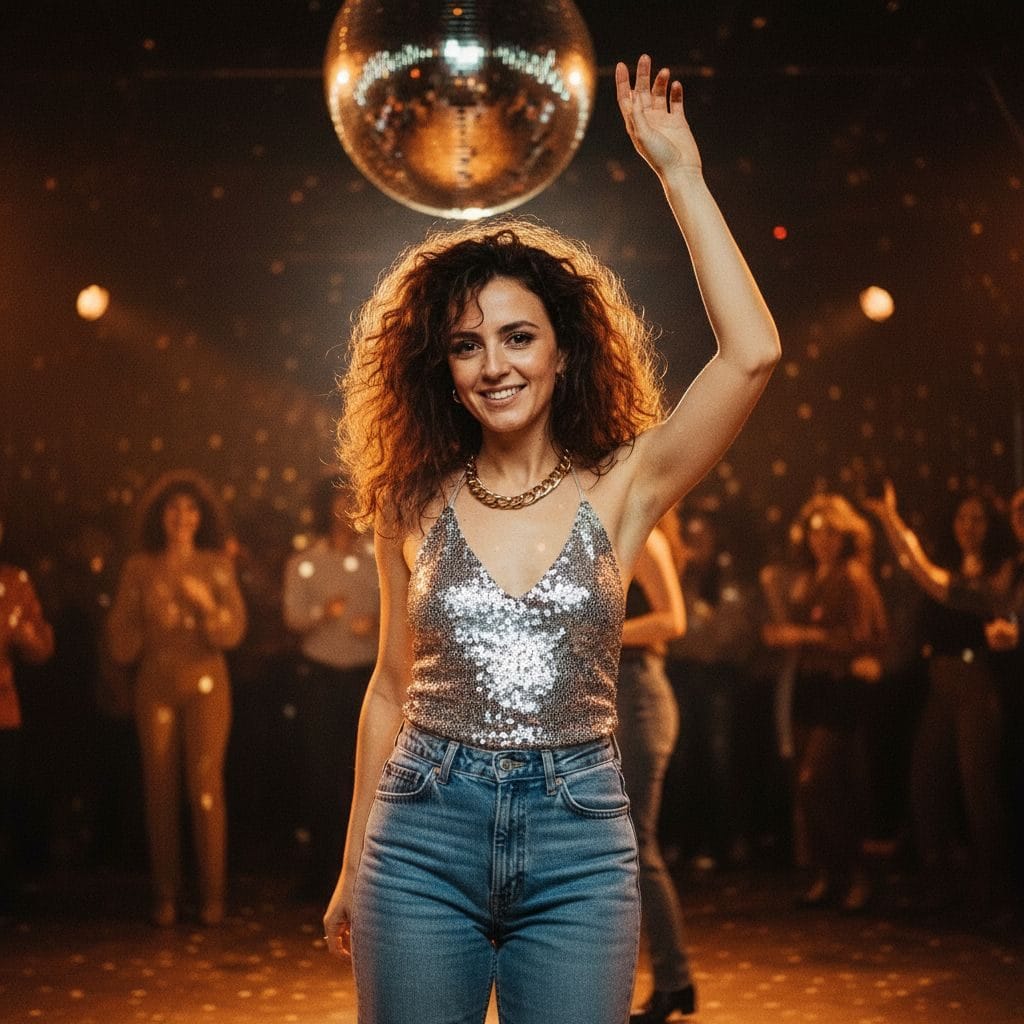
Disco floor under a mirror ball, synth-pop band promo with a quiff and a wall of synthesizers, rock leather backstage with a backcombed mane, radio studio at 2am, record store under flat fluorescent light, boombox street and a TV star publicity portrait in three-point lighting.
Disco floor — mirror ball highlights and warm bulbs, not neon.
Sport and movement
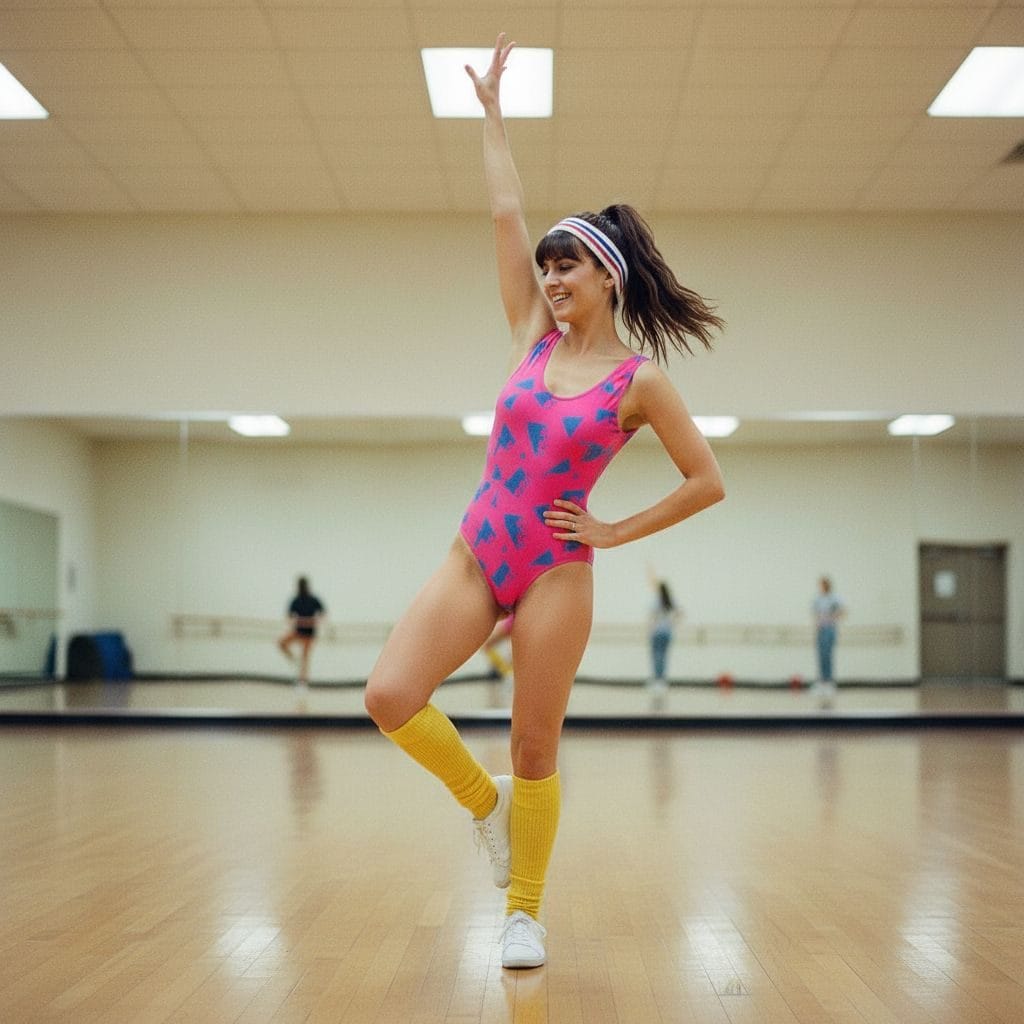
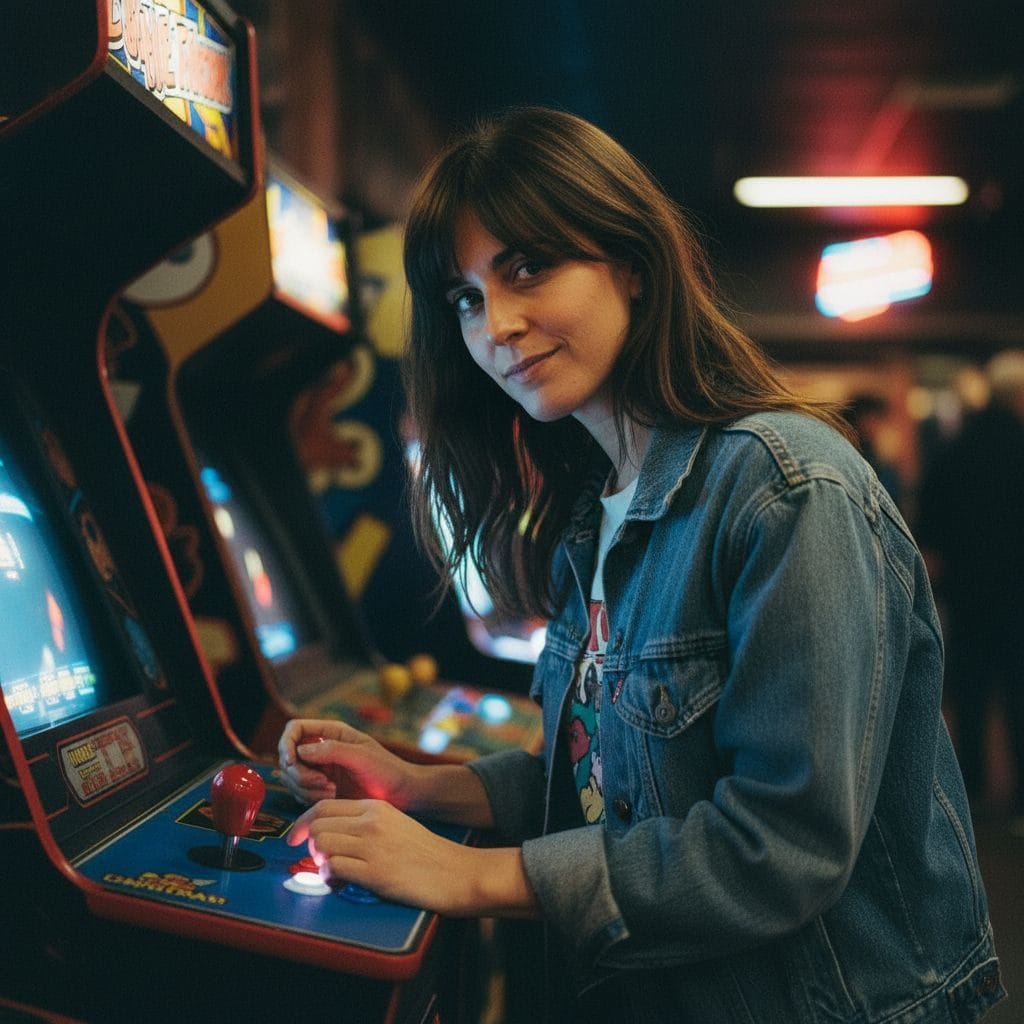
Aerobics class in a leotard, legwarmers and a terry headband, neighbourhood gym with chrome dumbbells, tennis club with a wooden racket, roller rink caught mid-glide, video arcade lit by the screen, skate park in harsh midday sun and ski resort in a colour-block one-piece.
Aerobics class — side ponytail, terry headband and a mid-routine pose.Video arcade — the CRT screen is the key light.
Everyday places
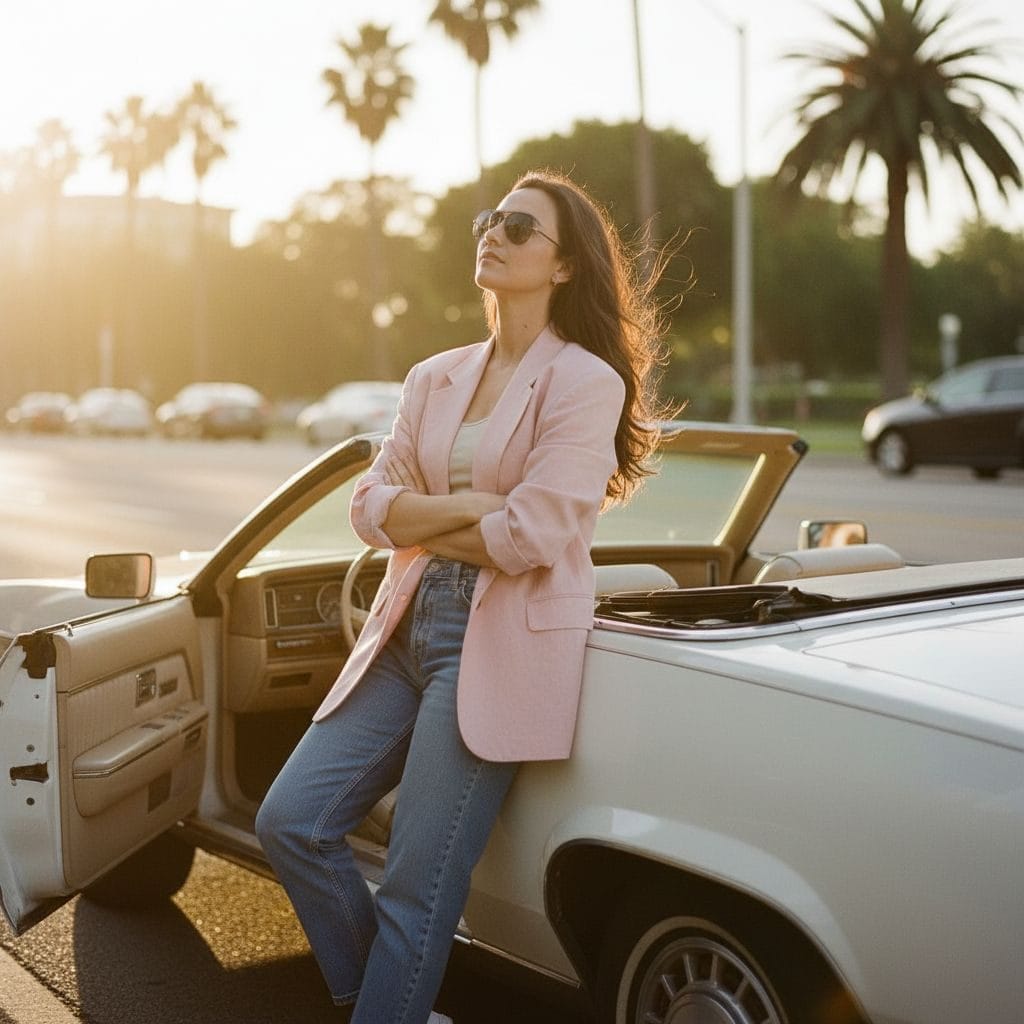
Living room with a wood-panelled television, power suit office with a beige terminal and venetian blinds, phone booth at dusk, diner booth on formica, convertible car at golden hour, motorcycle on an open road, beach holiday and pastel Miami.
Convertible car at golden hour — arms folded, ankles crossed.
The two nobody else has
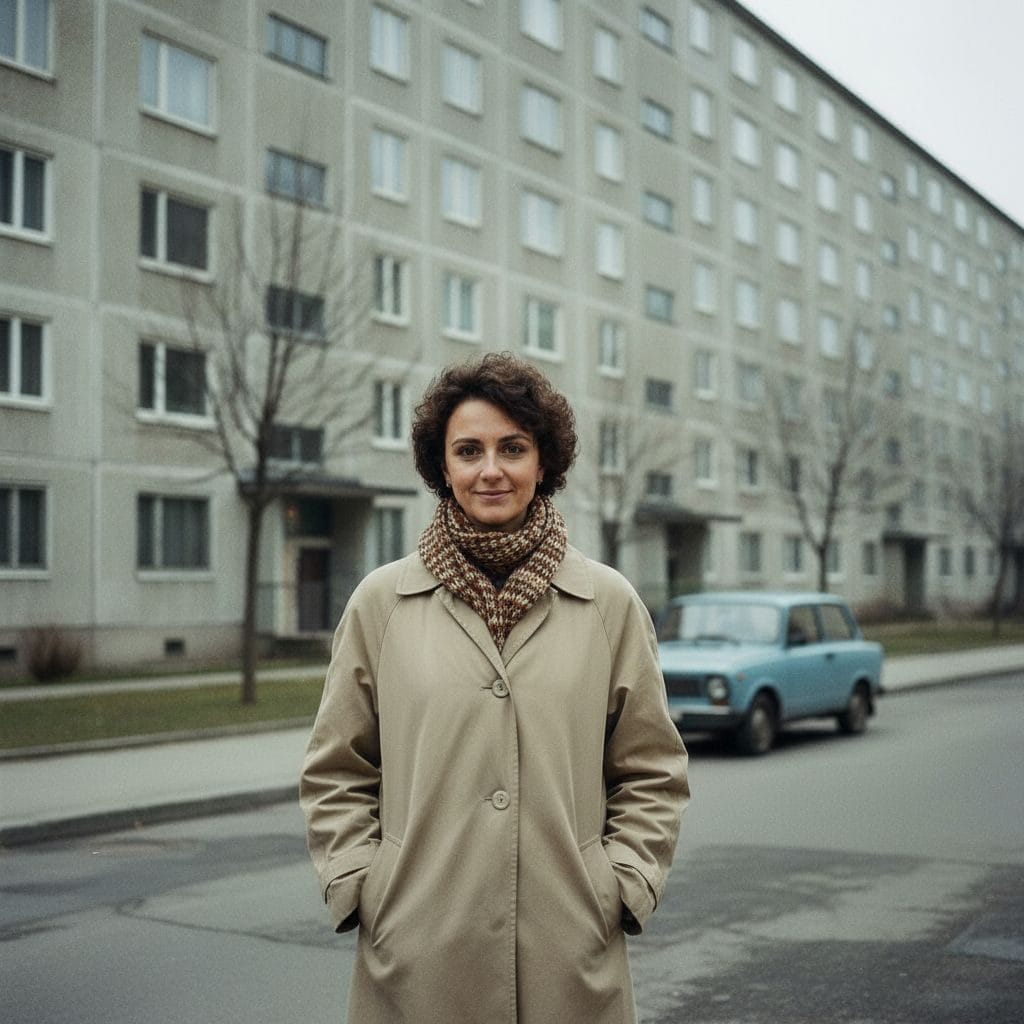
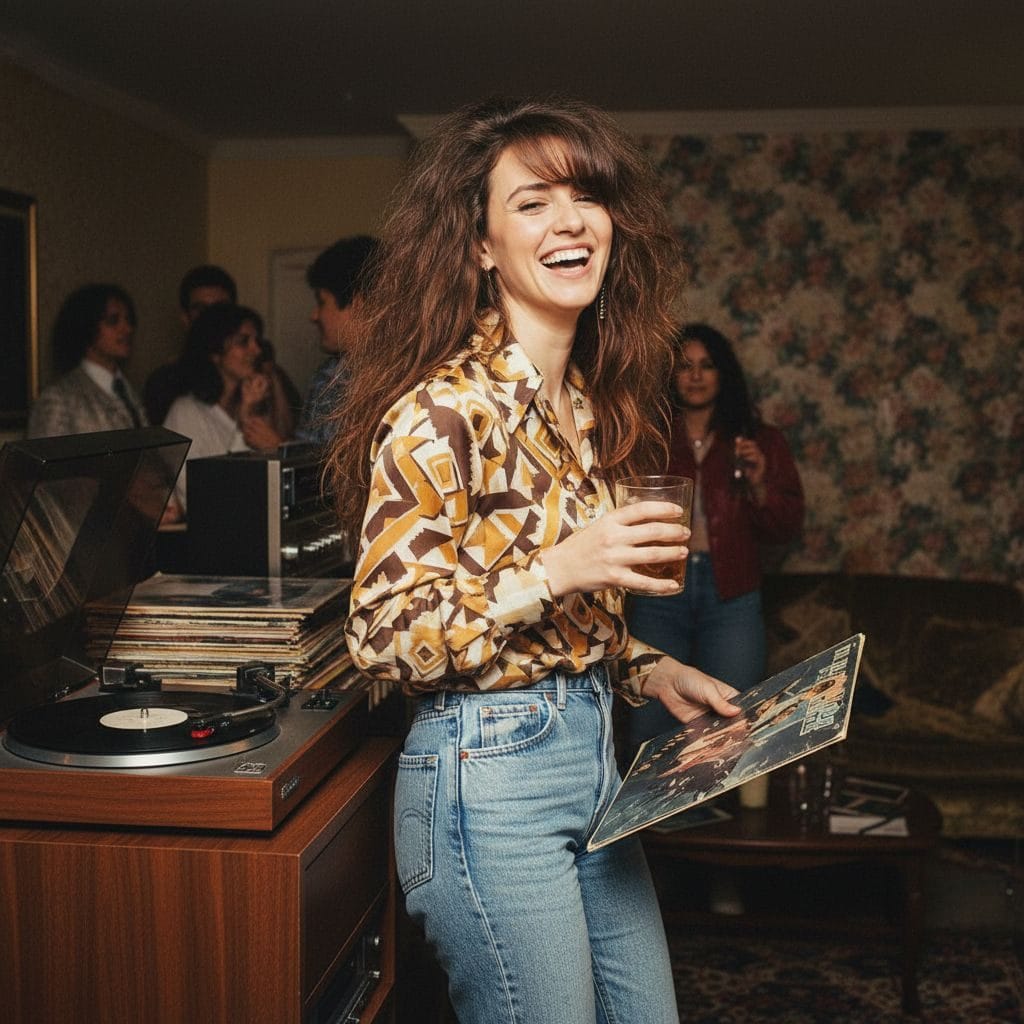
Most generators only know the American version of the decade. Two scenes cover the other half of the world: concrete estate — a prefabricated apartment block, a small boxy car on cracked pavement, bare trees, flat overcast light and the muted, slightly green, heavily grained colour of ORWO film — and house party, with a record player, a stack of vinyl, a wide-collar shirt and a flash that blows out the foreground while the room stays dark behind. If your family album came from Eastern or Central Europe, these two will look far more familiar than any Miami sunset.
Concrete estate — ORWO film colour, a small boxy car and flat overcast light.House party — record player, vinyl and a flash that blows out the foreground.
Which photo to upload
We measured this across our own runs — the same finding holds for every photoshoot category — and the difference is large: a vertical photo framed from about the knees up, where you fill a good part of the frame, holds your face and build far better than a full-length shot. In a full-length photo very few pixels land on the face, so the model starts guessing at it — and it tends to visibly slim the figure too.
Sharp source. A blurry upload gives a blurry result; no tool reverses that.
Face clearly visible — no sunglasses, no hand across the face.
Even light. Harsh direct sun with deep shadows makes the job harder.
One person for a portrait. For two, use the family scene.
Common mistakes
Asking for “neon” and “the 80s” in the same breath. Neon was on signage, not on faces. Adding it to a prompt is asking for synthwave.
Leaving the hair to chance. Of every period cue, hair carries the most weight — a 2026 haircut under 1980s clothes reads as fancy dress.
Judging on one generation. Each run is a fresh roll of pose and framing. Do two or three and pick.
Re-generating to get better quality. Once you have a shot you like, do not roll again hoping for a sharper one — upscale that exact image from History: Download → High quality.
What it costs
What you do
Cost
Time
One 1980s photo
2 credits
~30 seconds
Four scenes at once
8 credits
~1 minute
Upscale your favourite (4×)
2 credits
~1 minute
You get free credits when you create an account, so the first photos cost nothing. Packages start at $2.99 — see pricing.
It is a viral social-media trend where you give an AI image tool a current photo of yourself and get back a portrait styled as if it were shot in the 1980s — period clothing, period hairstyle, a studio backdrop, on-camera flash and faded film colour. It spread through Instagram and Facebook in autumn 2026. In PixiFixi you get the same result without writing a prompt: open the Photo Shoot tool, choose the 80s Retro category and pick a scene.
How do I make an image look 80s?
Five things have to be right at once: the hairstyle (feathered wings, a perm, a backcombed mane or a quiff), the pose people actually struck for cameras back then, period clothing, a period light source (fluorescent tube, tungsten bulb or direct flash — never neon), and the colour bias of a real film stock such as Kodak Gold or Kodachrome. Most prompt lists only cover clothing and lighting, which is why their results look half-modern.
Why does my 80s AI photo look like cyberpunk?
Because image models associate “the 1980s” with synthwave — a look created around 2015 that imitates the decade with purple haze, pink-and-blue neon and airbrushed skin. There is far more of it online than there are real photographs from the period, so it dominates the association. The fix is to specify a real light source and a real film stock, and to say explicitly that no neon or haze should be added. Every PixiFixi 80s scene already does this.
Is the 80s AI photo trend the same as the AI yearbook trend?
No. The AI yearbook trend ran in October 2023, was built around the Epik app and mostly produced 1990s school photos. The current 80s trend covers the whole decade, runs on general-purpose image models through ChatGPT and Gemini, and is not tied to one app or one photo format. A yearbook-style portrait is just one of the 40 scenes here.
Can I make an 80s AI photo for free?
You get free credits when you create a PixiFixi account, which covers your first photos. After that one shot costs 2 credits and packages start at $2.99.
Will it still look like me?
Yes — keeping your face is built into every scene. You get the best likeness from a sharp vertical photo framed from about the knees up, where you fill a good part of the frame. In a full-length shot far fewer pixels land on your face and the resemblance weakens.
Was AI a thing in the 80s?
Yes, but nothing like today. The 1980s were the era of expert systems — rule-based programs such as medical and configuration advisers — plus the Japanese Fifth Generation project and the first commercial neural-network research. The decade ended in the second “AI winter”, when funding collapsed. Image generation of the kind behind this trend is roughly forty years newer.
Can I do this on my phone?
Yes. PixiFixi runs in a mobile browser with nothing to install, and you can add it to your home screen so it behaves like an app.
Make your own 80s photo
Forty ready-made scenes are waiting in the 80s Retro category — no prompts to copy, no filter stacking and no purple fog. Upload a photo and see yourself in 1986.