In short: PixiFixi’s Virtual Try-On lets you change clothes to a wedding dress in any photo using AI. Pick a gown from the built-in wardrobe, upload a boutique product photo, or describe the dress in plain English — the AI keeps your face, pose and background and swaps only the outfit. It covers every silhouette: A-line, ballgown, mermaid, sheath and boho, plus veils, bridesmaid and wedding-guest dresses. A result is ready in about 30 seconds for 1 credit, and every new account gets 2 free credits to start.
Wedding dress shopping is stressful and expensive — boutique appointments take hours, gowns cost a fortune, and you simply can’t picture yourself in a dress from a website photo. The easiest fix is to change clothes to a wedding dress with AI first: upload a photo, preview the gown on your own body, and only then book the fitting. This guide shows you how to do it step by step in PixiFixi, which wedding dress styles you can try, how to write good prompts, and what it costs.
This is the wedding-focused companion to our full guide on how to change clothes in a photo with AI — here we zoom in on wedding dresses, bridal gowns and bridesmaid looks.
When to try on a wedding dress with AI
The most common reasons people use PixiFixi to put a wedding dress on a photo:
Dress shopping — see how a gown actually looks on you before you spend on it, instead of guessing from a model photo
Narrowing styles before appointments — walk into a boutique already knowing which silhouettes suit you, so fittings are faster and less overwhelming
Bridesmaids coordinating — preview the same dress color and cut across the whole bridal party
Destination and themed weddings — test a boho beach gown or a winter ballgown before committing
Social announcements — fun engagement and save-the-date content without a real bridal photoshoot
Bridal boutiques — show one model in dozens of gowns without booking a photoshoot for every dress
How to try on a wedding dress with AI (step by step)
Upload a clear photo — front-facing, good lighting, ideally full-length so the AI has room to render a long gown.
Open the Virtual Try-On tool — the Wardrobe panel slides up automatically.
Choose your gown — pick a dress from the wardrobe, upload a boutique product photo, or describe it in plain English (e.g. “ivory A-line wedding dress with lace sleeves”).
Click Try On — the AI fits the dress to your body, matches lighting and keeps your face and pose. One try-on costs 1 credit.
Download the result or run it again for a different silhouette or color.
Everything runs in your browser — nothing to install — and works the same on a phone or a computer. The three input methods (wardrobe, upload, describe) are explained in detail in the main AI clothes changer guide.
Which wedding dress styles can you try on?
PixiFixi handles the full range of bridal and wedding-party looks:
A-line — fitted bodice flowing into a gentle skirt; the most universally flattering silhouette
Ballgown — fitted top with a full, dramatic skirt for a classic fairy-tale look
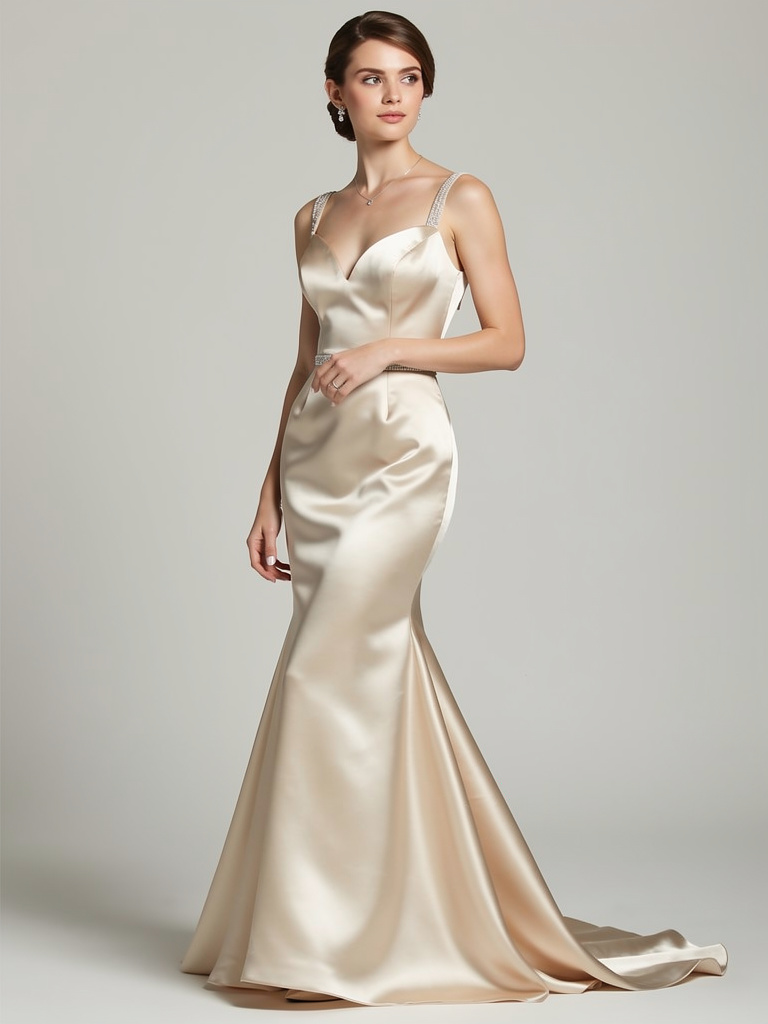
Mermaid / trumpet — hugs the body to the knee, then flares out for a glamorous shape
Sheath / column — slim and straight, elegant for minimalist and beach weddings
Boho / rustic — soft floral lace, flowing fabrics and open backs
Veils and accessories — preview a gown with or without a veil and finishing details
Bridesmaid and wedding-guest dresses — coordinate the party or plan your own guest outfit
You can also pick a fit (slim, regular or oversized), so the gown sits the way you’d actually wear it.
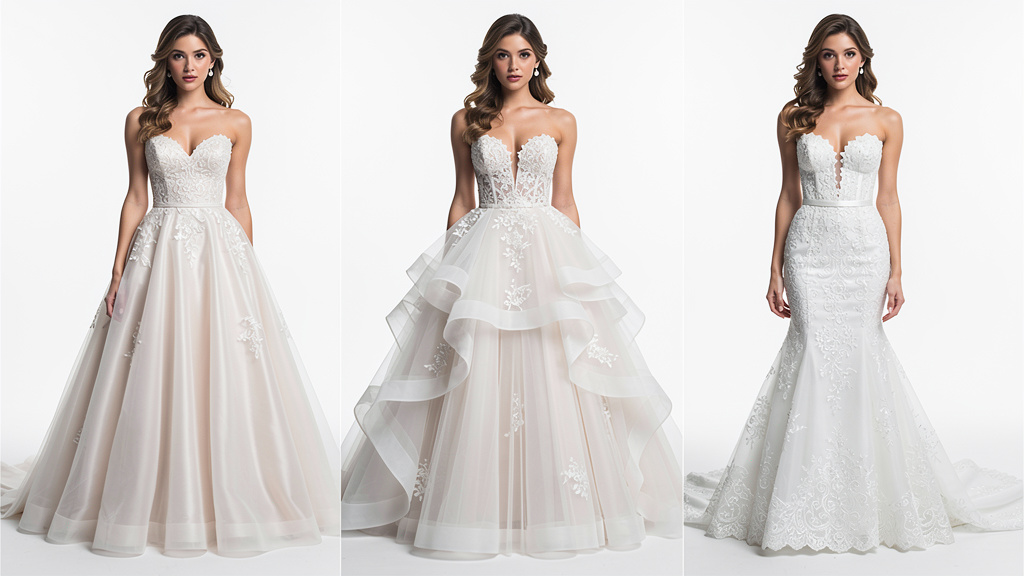
A-line, ballgown and mermaid — three silhouettes you can try on the same photo.
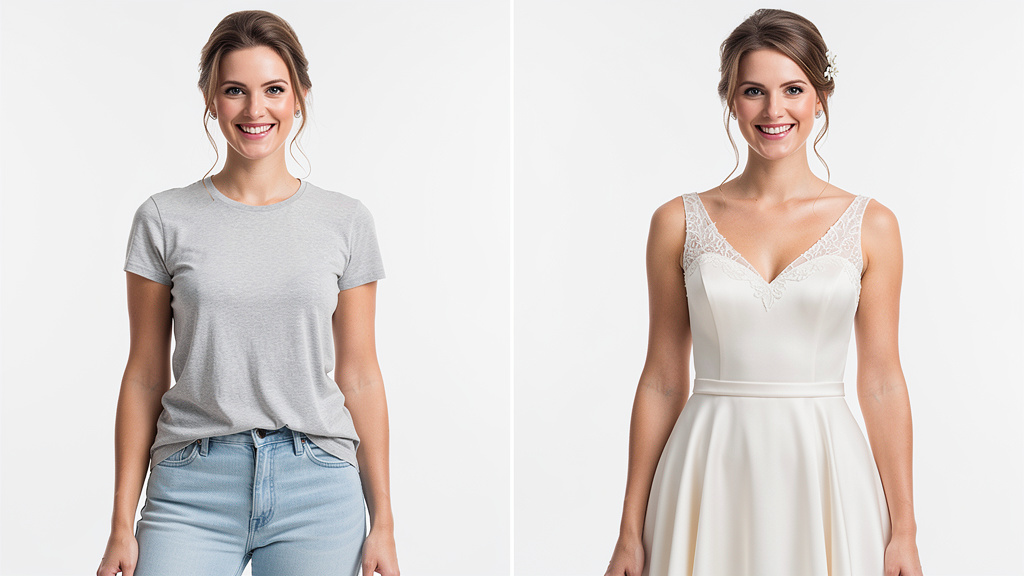
Your photo can look like this too
Try it on your own picture — no card, no subscription, and you get free credits to start.
A-line vs ballgown vs mermaid — which to try first?
Not sure where to start? Here’s the quick logic, then try each on your own photo to see what suits you:
A-line — the safest, most flattering choice for almost every body type; great if you want classic and effortless.
Ballgown — go here if you want maximum drama and a fairy-tale entrance; best for formal venues and grand ceremonies.
Mermaid — the most form-fitting and glamorous; perfect if you want to show off your shape and feel red-carpet ready.
Because each try-on is only 1 credit, the fastest way to decide is simply to run the same photo through all three and compare.
Real AI try-on examples — A-line, ballgown and mermaid.
Best prompts for a wedding dress
If you describe the gown in text instead of picking it from the wardrobe, keep prompts simple and specific — include color, fabric and silhouette:
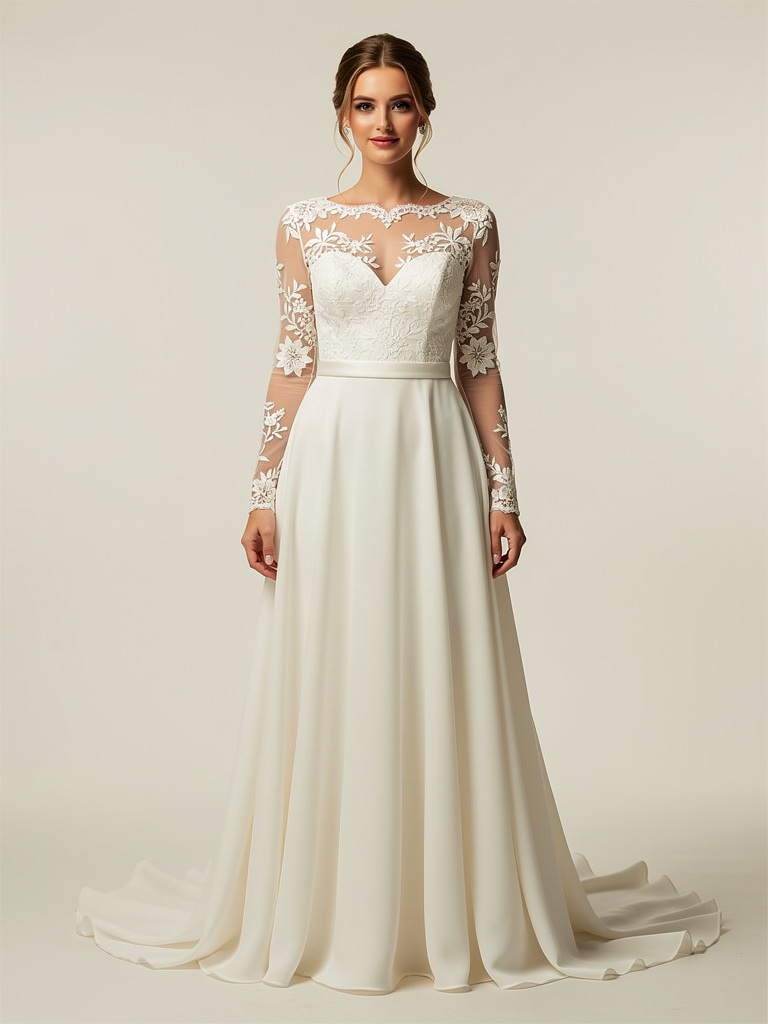
“Ivory A-line wedding dress with lace sleeves”
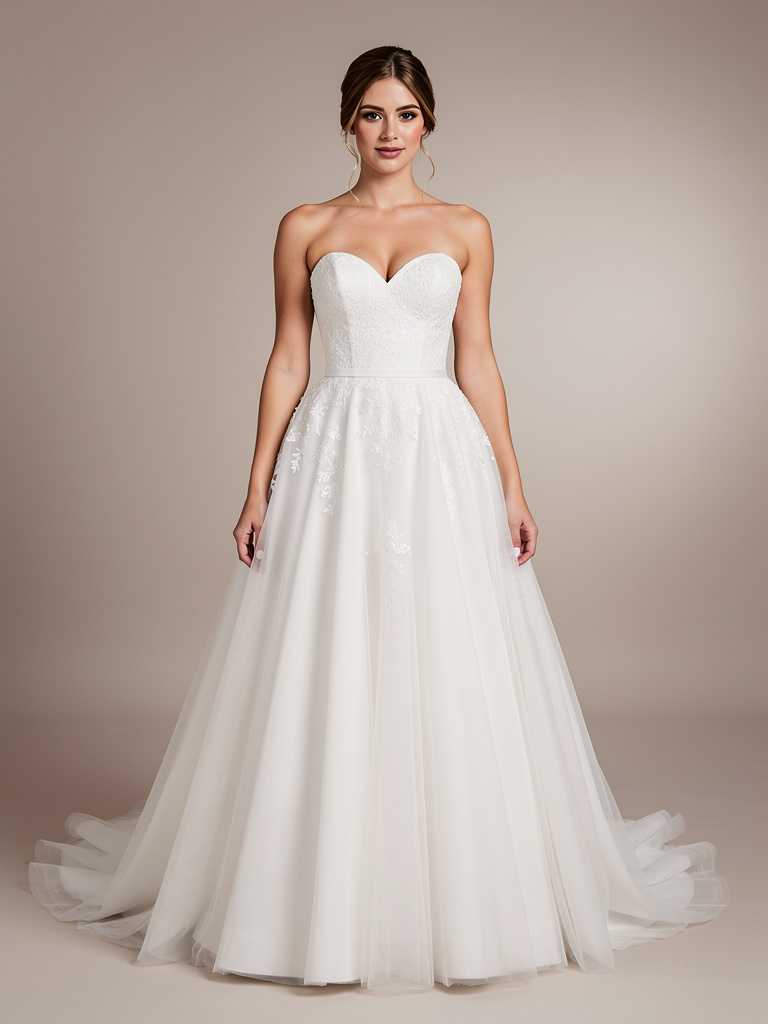
“White ballgown wedding dress with a sweetheart neckline”
“Champagne mermaid wedding dress, satin”
“Boho wedding dress with floral lace, open back”
“Sage green bridesmaid dress, floor length”
Keep prompts to one well-defined gown — the AI handles a single, clear dress far better than a complex multi-style description. For an exact dress you already have in mind, uploading the boutique product photo works better than describing it.
Tips for a realistic wedding dress try-on
Use a clear, well-lit, front-facing photo — soft natural light and a plain background give the cleanest edges
Show enough of the body — a full-length photo works best so the AI can render a long gown and train
Stand naturally and face the camera — avoid twisted poses or arms covering the torso
Switch the style or color and re-run — each try-on is 1 credit, so it’s cheap to compare a few gowns
Like a result? Use HQ upscale from your History for a sharper, higher-resolution version
AI wedding dress try-on vs guessing online vs a boutique appointment
Feature
AI wedding dress try-on (PixiFixi)
Guessing from website photos
Boutique appointment
Time
~30 seconds
days
hours + booking
Cost
1 credit
travel + time
appointment slots
See it on you first
Yes
No
Only in store
Compare many gowns
Yes, instantly
No
Limited per visit
Works from home
Yes (browser)
Yes
No
For deciding which gown to book or buy, an AI try-on is the fastest, cheapest way to see a wedding dress on your own body before you commit.
How much does it cost?
Every wedding dress try-on costs 1 credit — Virtual Try-On has no quality tiers, so the price is the same each time. New accounts get 2 free credits, which means 2 free try-ons to start. After that you buy only what you need; there’s no subscription and credits don’t expire.
Package
Price (USD)
Wedding dress try-ons
Free start
$0
2 (new account bonus)
10 credits
$2.99
10
30 credits
$6.99
30
60 credits
$9.99
60
100 credits
$18.99
100
Pricing is available in USD, EUR, GBP and INR, with card, Google Pay, Apple Pay, PayPal and UPI supported.
Is it safe and appropriate?
PixiFixi is built for everyday use — wedding planning, dress shopping, social content and bridal stores. Use it responsibly:
Only edit photos you own or have clear consent to modify
Keep it appropriate — PixiFixi has built-in content moderation that blocks inappropriate uploads and outputs
Your photos stay private — they’re used only to generate your result, stored on secure servers, and are not used to train AI models
Frequently asked questions
Can I try on a wedding dress for free?
Every new PixiFixi account gets 2 free credits, and one wedding dress try-on costs 1 credit — so your first two gown try-ons are free. After that, credit packages start at $2.99 for 10 credits, with no subscription and credits that never expire.
Will my face and body stay the same?
Yes. The Virtual Try-On tool replaces only the clothing — it preserves your face, hair, pose and the background. The result is recognizably you, just wearing the wedding dress you chose.
Can I try a dress from a bridal boutique website?
Yes. Upload the product photo from the boutique — ideally on a plain or white background — and the AI will fit that exact gown to your photo. This is the most accurate way to preview a specific dress before an appointment.
Does it work for bridesmaid and guest dresses?
Yes. You can preview bridesmaid dresses and wedding-guest outfits the same way — pick them from the wardrobe, upload a product photo, or describe them in text, including the color and length.
What photo works best for a wedding dress try-on?
A clear, front-facing, well-lit photo with a plain background, ideally full-length so the AI has room to render a long gown and train. Avoid twisted poses, heavy shadows and arms covering the torso.
Can I compare different gowns?
Yes. Each try-on is just 1 credit, so you can run the same photo with A-line, ballgown, mermaid and different colors and compare them side by side before booking a boutique appointment.