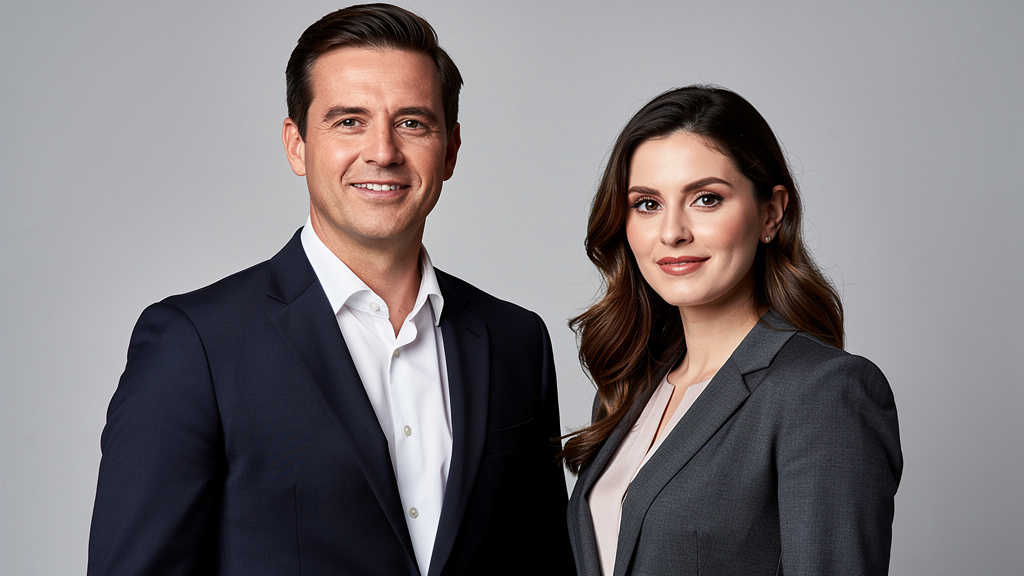
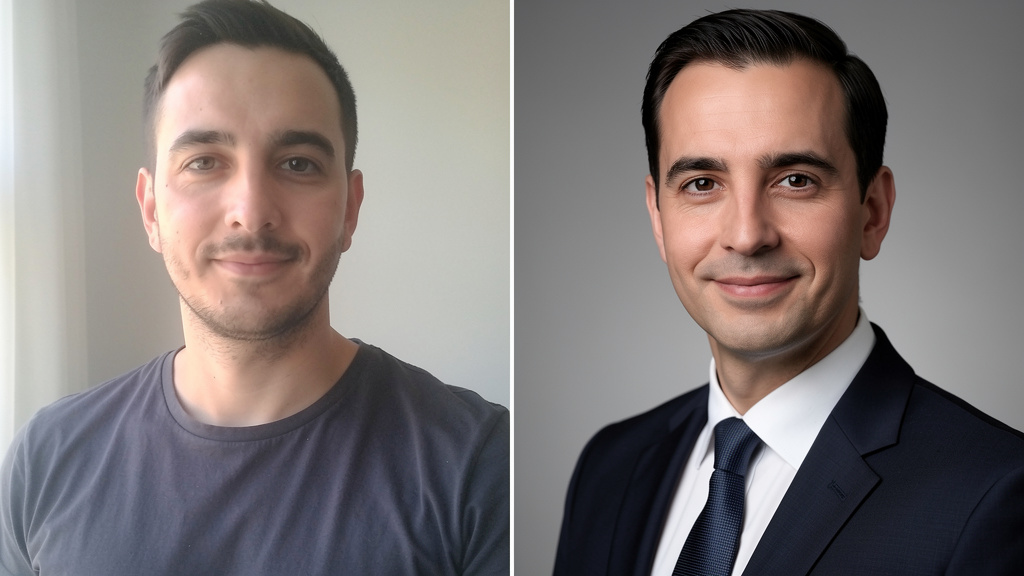
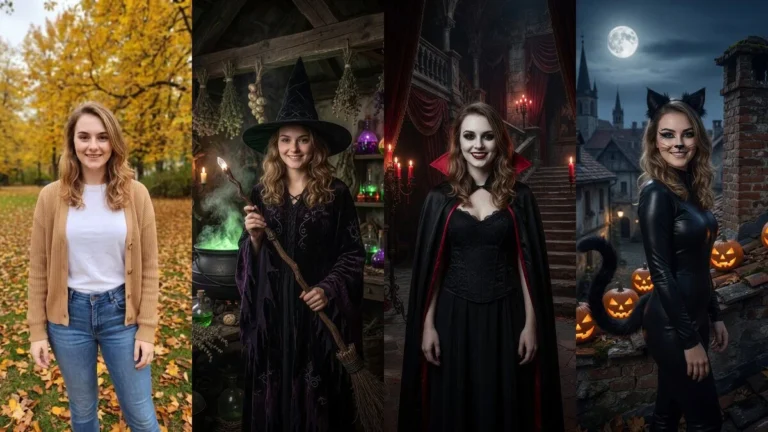
You can change clothes to a suit in a photo with AI in seconds — for free to start. Upload any photo to PixiFixi, open the virtual try-on tool, pick a suit (or describe the outfit you want), and the AI dresses you in sharp formal attire while keeping your real face and pose. No photographer, no Photoshop skills, no expensive studio session. It is the fastest way to put a suit on a photo for LinkedIn, your CV, a job interview, or a last-minute wedding.
Whether you need a polished business headshot or a black-tie look for a special occasion, an AI suit photo gives you a professional result without changing what makes you you. Below is exactly how to do it, what styles you can try, and how much it costs (spoiler: your first try-ons are free).
How to change clothes to a suit with AI (step by step)
The whole process takes under a minute. Here is how to put a suit on your photo with PixiFixi:
Create a free account. Go to app.pixifixi.app/register and sign up — new accounts get free starter credits, so your first try-ons cost you nothing.
Upload your photo. A clear, front-facing shot where your upper body is visible works best. A casual selfie in a t-shirt is perfectly fine.
Open the wardrobe / change-clothes tool. This is the virtual try-on feature that swaps your outfit while keeping your face and pose intact.
Pick a suit or describe it. Choose a ready suit from the wardrobe, or simply type what you want — for example “navy slim-fit business suit with a white shirt and tie”.
Generate and download. The AI returns your photo wearing the suit in seconds. Download it and use it anywhere.
That is it — no layers, no masks, no manual editing. The suit photo editor does the heavy lifting for you.
Your photo can look like this too
Try it on your own picture — no card, no subscription, and you get free credits to start.
A formal photo signals competence and confidence, but most of us do not have a studio shot ready when we need one. AI fixes that instantly. Here are the most common reasons people use a formal outfit AI:
LinkedIn headshot. Turn a casual photo into a clean, suited profile picture that looks like you hired a professional.
CV and resume. A consistent, formal photo makes your application look more polished and trustworthy.
Job interview. Need a professional photo today? Generate one in seconds instead of booking a photographer.
Last-minute wedding guest. See how you would look in formal attire before the big day — or create a tidy photo for the invitation.
Dating profiles. A well-dressed photo stands out. Test a sharp look without buying a new outfit.
Because the AI keeps your real face and pose, the result still looks like you — just dressed for the occasion. This is the professional sibling of our popular guide on how to change clothes to a bikini or swimsuit with AI; same tool, dressed-up purpose.
Suit styles you can try
“Business attire AI” is not just one look. With the change-clothes tool you can ask for almost any formal style, including:
Classic business suit. A navy or charcoal two-piece with a shirt and tie — the safe choice for LinkedIn and interviews.
Tuxedo / black tie. A formal dinner jacket and bow tie for galas, weddings, and elegant events.
Three-piece suit. Add a waistcoat for a more distinguished, tailored look.
Blazer + smart casual. A relaxed-but-professional look that works for creative roles and modern offices.
Formal dress or trouser suit for women. Ask for an elegant formal dress or a tailored women’s business suit — the AI handles both.
If you cannot find a preset you like, just describe it. Telling the AI to “dress to a suit” in a specific color or cut works just as well as picking from the wardrobe.
How much does it cost? Is it free?
Changing clothes to a suit costs 1 credit per try-on — and there are no quality tiers to worry about, so every result is the full-quality version. New accounts get free starter credits, which means your first try-ons are free. There is no subscription: when you run out, you simply top up credits whenever you want, and they never expire on a monthly cycle. Try several suit styles before you ever pay a cent.
PixiFixi AI vs a photographer vs Photoshop
How does an AI suit photo compare to the traditional ways of getting a formal headshot?
Method
Time
Cost
Skill needed
PixiFixi AI
Under 1 minute
1 credit (first try-ons free)
None
Hiring a photographer
Days to book + shoot
$100–$400+
None (but you need a suit)
Photoshop
30–90 minutes
Monthly software fee
Advanced editing skills
For most people, the AI route is the obvious winner: instant, free to start, and no editing experience required. PixiFixi is a full AI photo editor, so once your suit photo is ready you can restore an old photo or refresh your whole look in the same place.
Frequently asked questions
Is it free to change clothes to a suit with AI?
Yes, to start. New PixiFixi accounts get free starter credits, so your first try-ons are free. Each suit try-on then costs 1 credit, with no subscription required.
Will the AI keep my face?
Yes. The virtual try-on tool swaps only the clothing and keeps your real face and pose, so the suited photo still looks like you.
Can women get a formal dress or suit?
Absolutely. You can ask for an elegant formal dress, a tailored women’s business suit, or a trouser suit. Just pick it from the wardrobe or describe it in your own words.
What photo works best for an AI suit?
A clear, front-facing photo where your upper body is visible gives the best result. A simple casual selfie in a t-shirt works perfectly — you do not need to be dressed up already.
Can I use the AI suit photo for LinkedIn?
Yes. A suited AI headshot is ideal for LinkedIn, your CV, and job interviews. Download the result and upload it like any other profile picture.
Is it private?
Yes. Your photos are processed for you to generate your result and are not shared publicly. You can also delete your photos from your account whenever you want.
Ready to suit up?
Turning a casual snap into a sharp, suited photo takes seconds and your first try-ons are free. Create your free PixiFixi account and change your clothes to a suit right now.