Short answer: Yes — AI can restore old photos in seconds by removing scratches and stains, sharpening blurry detail, fixing faded or yellowed colors, and even colorizing black-and-white pictures. It works best on photos that are damaged but still show recognizable shapes. Your first restorations are free.
This guide explains how AI photo restoration works, what it can and can’t fix, how to restore an old photo step by step in PixiFixi, what it costs, and how to bring the result to life. If you would rather just do it than read about it, go straight to the AI photo restoration tool.
People look for this tool under many names — AI photo restore, restore photo AI, AI image restorer, photo restoration online or simply an old photo restorer. They all mean the same thing: upload a photo, let the AI repair and enhance it, and download the result. In PixiFixi it is free to start and works right in your browser — no app to install.
How does AI photo restoration work?
AI photo restoration uses trained neural networks to analyze the damaged areas of an image and predict what the missing or degraded details should look like. In simple terms, the AI:
detects scratches, cracks, and stains
improves sharpness and contrast
restores faded colors
reconstructs missing details based on patterns learned from millions of images
The process is automatic and requires no manual photo-editing skills.
What AI can fix in old photos
scratches and dust marks
faded or yellowed photos
low contrast and poor sharpness
small missing areas
scanned photos with uneven lighting
black-and-white photos that need colorizing
For most old family photos, this is enough to bring back faces, clothing details, and overall clarity.
What AI cannot fully restore
It’s important to be realistic. AI cannot:
recreate faces that are completely missing
recover details that never existed in the photo
guarantee perfect accuracy for extremely low-quality images
The best results come from photos that are damaged but still contain visible shapes and structure.
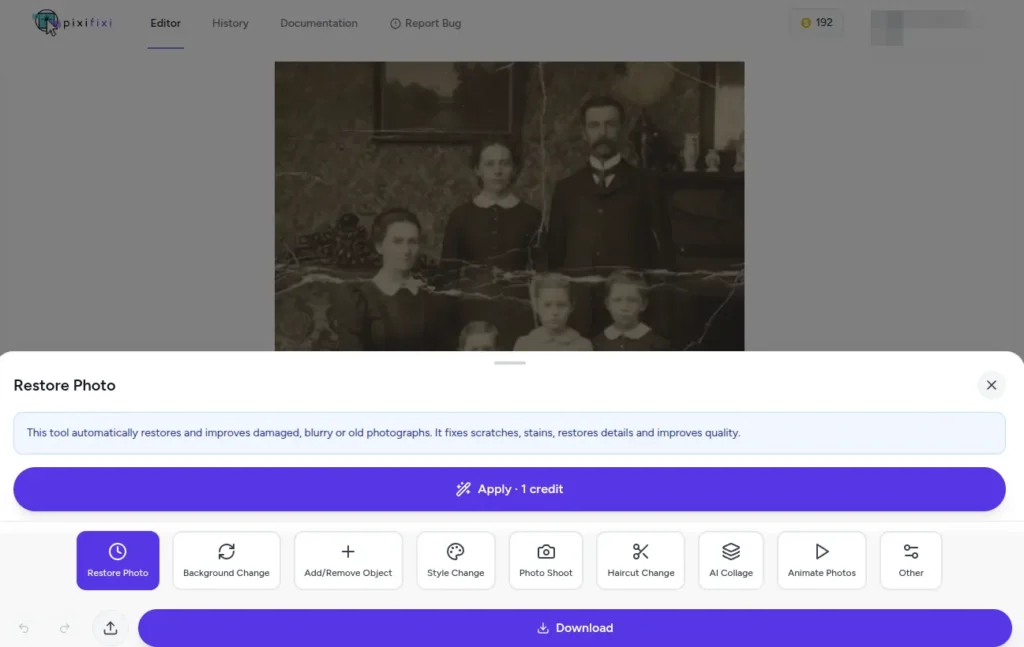
How to restore an old photo in PixiFixi (step by step)
Sharpen Details — sharpen blurry detail and improve clarity (works best with Colorization on)
Enhance Contrast & Brightness — balance lighting and tones
Repair Damage — fix torn areas and fill in missing parts
Straighten & Crop — straighten and improve composition
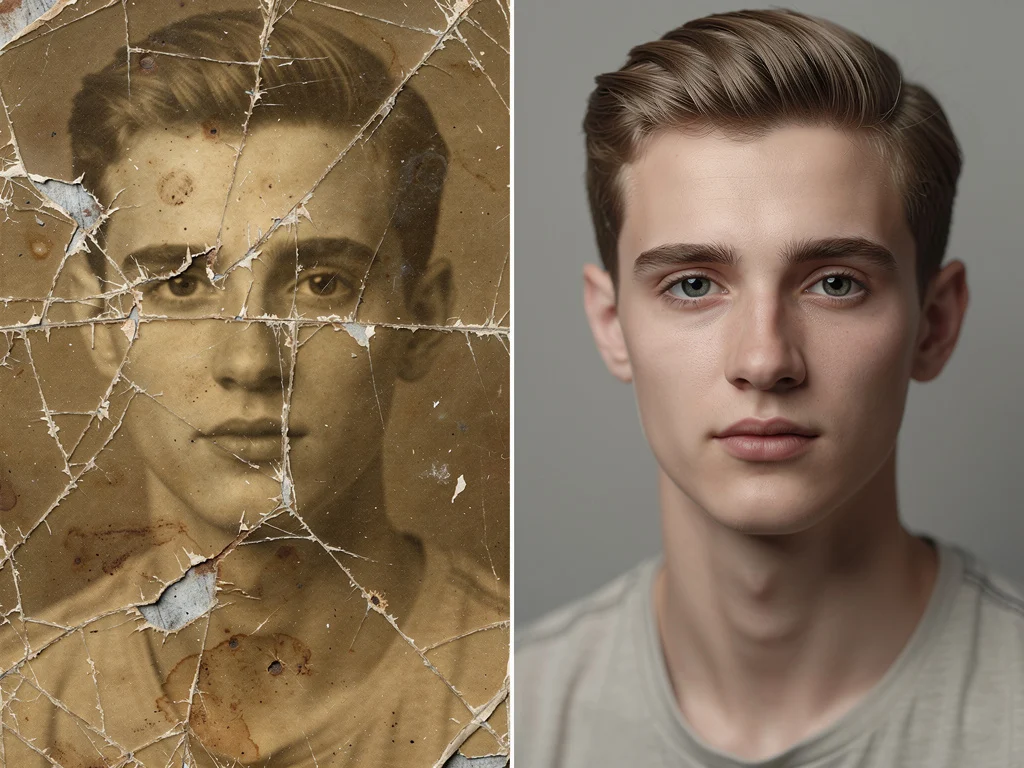
Before and after example
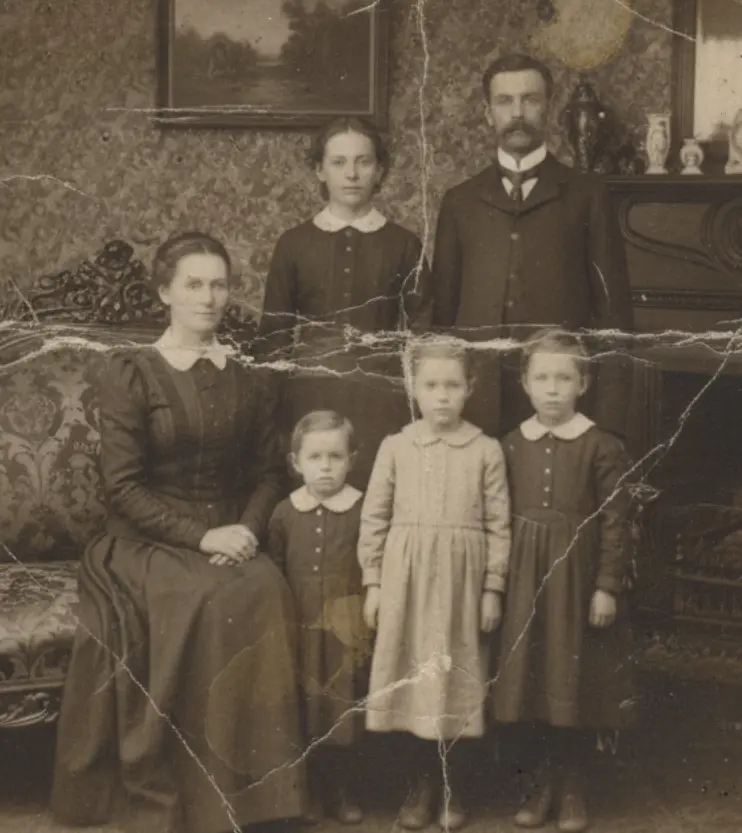
Before:
Old photo — before restoration
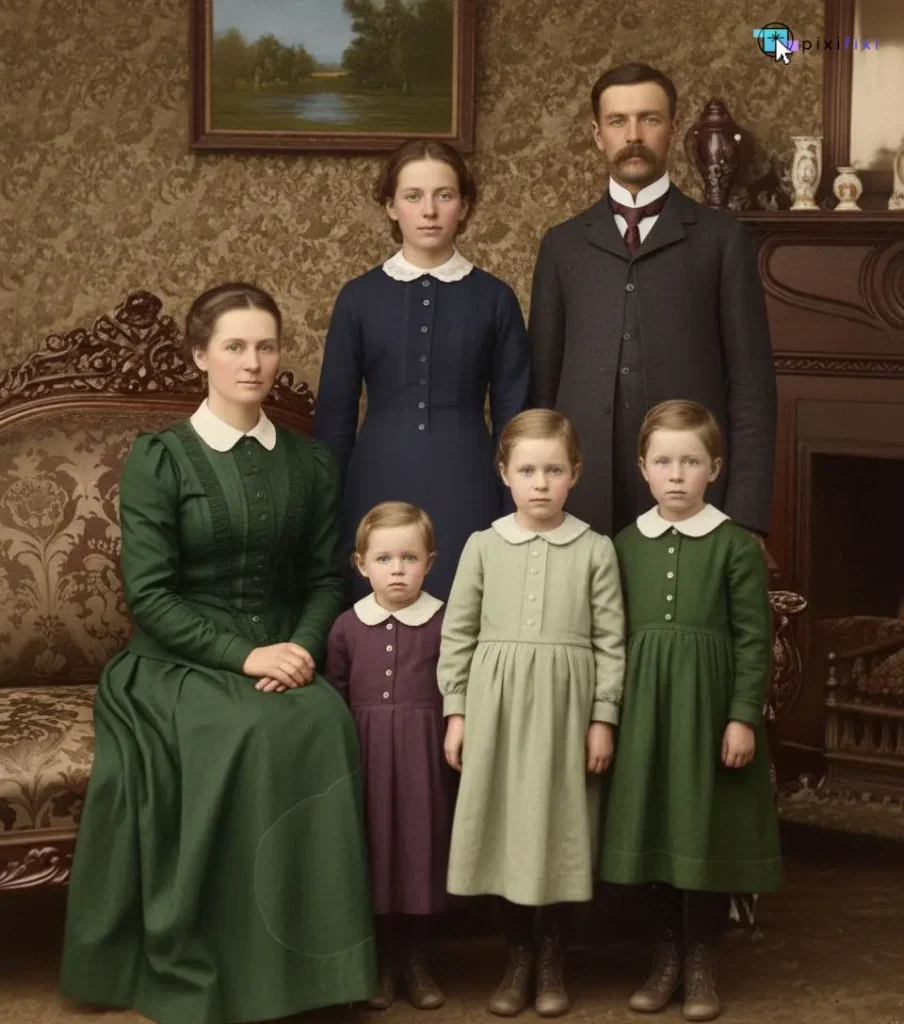
After:
The same photo — after AI restoration
Need more color? Add extra colorization
If a restored photo still looks a little faded, you can boost it further. Select the “Other” tool and enter this prompt:
Colorize photo, vivid colors
Your photo will come back with richer, more vibrant colors.
Restore any photo — not just old ones
AI photo restore is not only for antique prints. The same tool rescues blurry, low-resolution, dark or lightly damaged photos — a soft smartphone shot, a small image saved from the web, or a scan with a few scratches. Upload it, and the AI sharpens detail, reduces noise and can boost resolution up to 4× when you download in high quality.
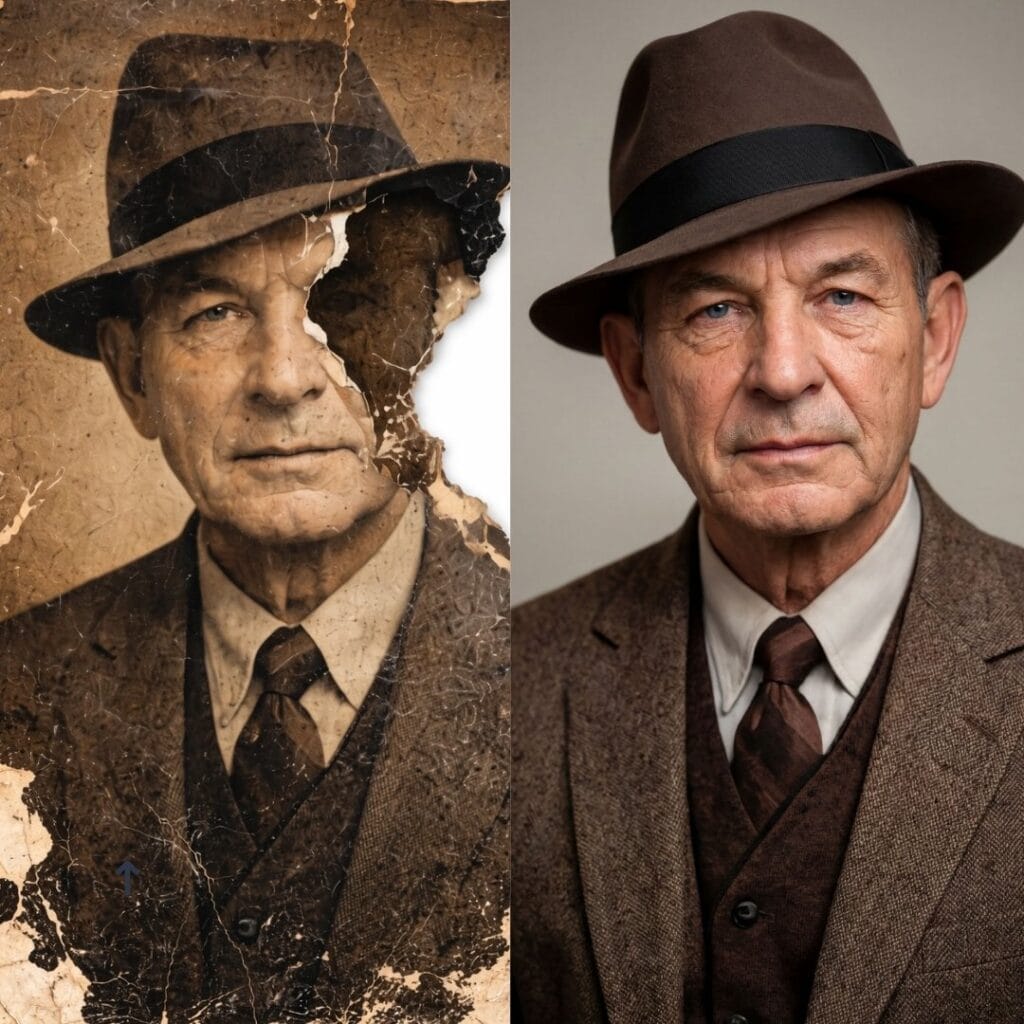
AI photo restore in action — a cracked, faded portrait rebuilt sharp with natural color.
How much does AI photo restoration cost? Is it free?
Restoring a photo costs 1 credit on Standard, 4 credits on Pro (2K), or 8 credits on Ultra (4K). New accounts get free starter credits, so your first Standard restorations cost nothing. Credits never expire and there’s no subscription — you only buy what you need.
Tips for better restoration results
Scan photos at the highest possible resolution
Avoid heavy shadows when photographing prints
Upload unedited originals (no filters or compression)
Start with one photo and adjust the options if needed
Better input images always produce better AI restoration results.
Bring your restored photos to life
Once your old photo is restored, you can take it one step further and animate it into a short video — turning a still portrait into a living memory that blinks, smiles, and moves naturally. Here is an example:
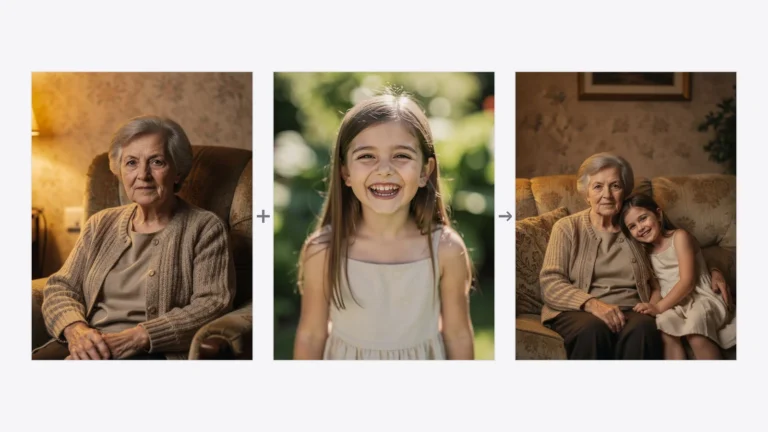
A restored scan is also the best possible input for combining pictures. Once two old photographs are repaired, AI can merge two restored photos into one — a grandparent and a grandchild who were never photographed together, or a family portrait with the person who could not be there. Merging a repaired photo gives a visibly better result than merging a faded one, so restore first and combine second.
Frequently asked questions
Can AI restore old photos?
Yes. AI can remove scratches and stains, sharpen blurry detail, fix faded colors, repair small damaged areas, and colorize black-and-white photos. It works best on photos that are damaged but still show recognizable shapes.
How does AI photo restoration work?
AI uses trained neural networks to analyze the damaged areas of a photo and predict what the missing or degraded details should look like, then rebuilds them automatically — no manual editing needed.
Is AI photo restoration free?
New accounts get free starter credits, and a Standard restoration costs 1 credit — so your first restorations are free. After that it’s 1 credit on Standard, 4 on Pro (2K) or 8 on Ultra (4K), with no subscription.
Can AI colorize black-and-white photos?
Yes. Turn on the Colorization option in the Restore Photo tool to add natural color to black-and-white or sepia photos. For even richer color, run the Other tool with the prompt “Colorize photo, vivid colors”.
What can’t AI restore?
AI can’t recreate faces or details that are completely missing, or invent information that never existed in the photo. Extremely low-quality images give less reliable results. Photos with visible structure restore best.
Can I animate a restored photo?
Yes. After restoring an old photo, you can animate it into a short video so the person blinks, smiles, and moves naturally — a popular way to bring family memories to life.
Final thoughts
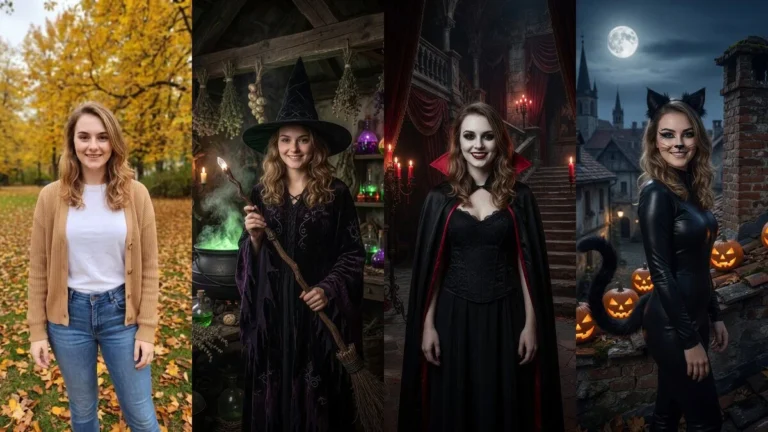
AI photo restoration isn’t magic, but it’s a powerful, accessible way to bring old photos back to life — and for many families, it’s the difference between memories that fade and memories that last. Upload a photo, pick your fixes, and see the result in seconds. You can also create a fresh AI photoshoot from the restored image.