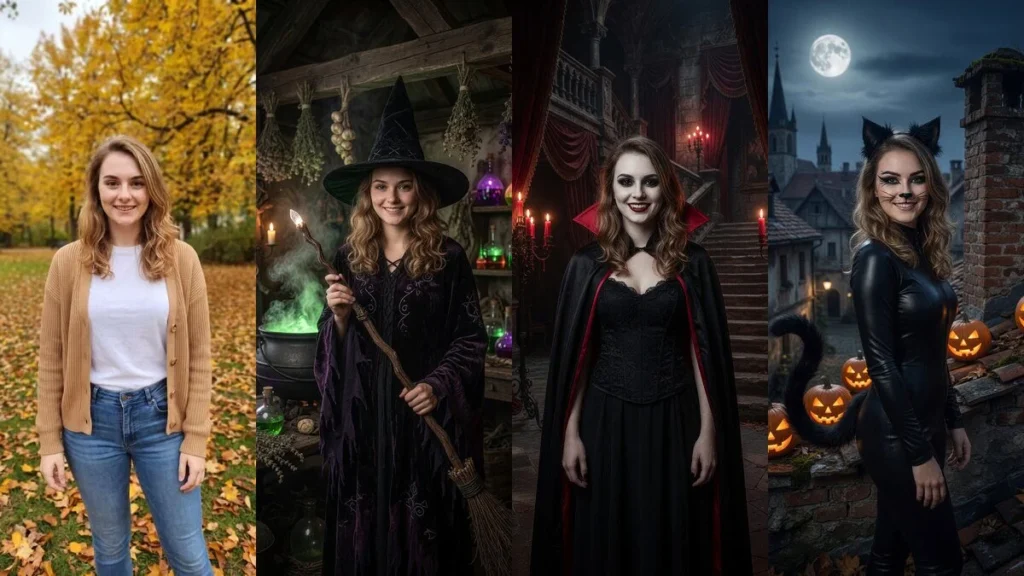
No costume? Upload an ordinary photo to PixiFixi, open the Photo Shoot tool, choose the Halloween category and tap one of 40 ready-made costumes. No prompt needed — the costume, makeup, set and lighting are built into each style. One photo costs 2 credits, takes about 30 seconds, and your face stays your own.
It is the fastest last-minute Halloween costume there is: nothing to buy, no face paint, no leaving the house. It works on your phone, right in the browser.
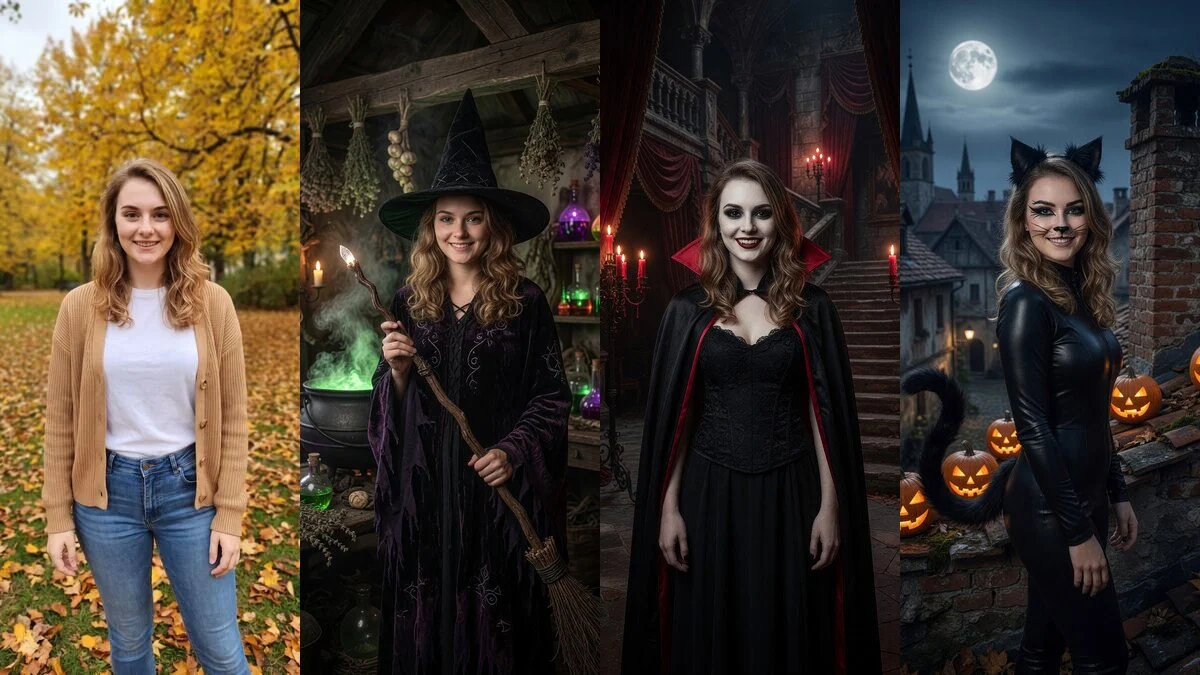
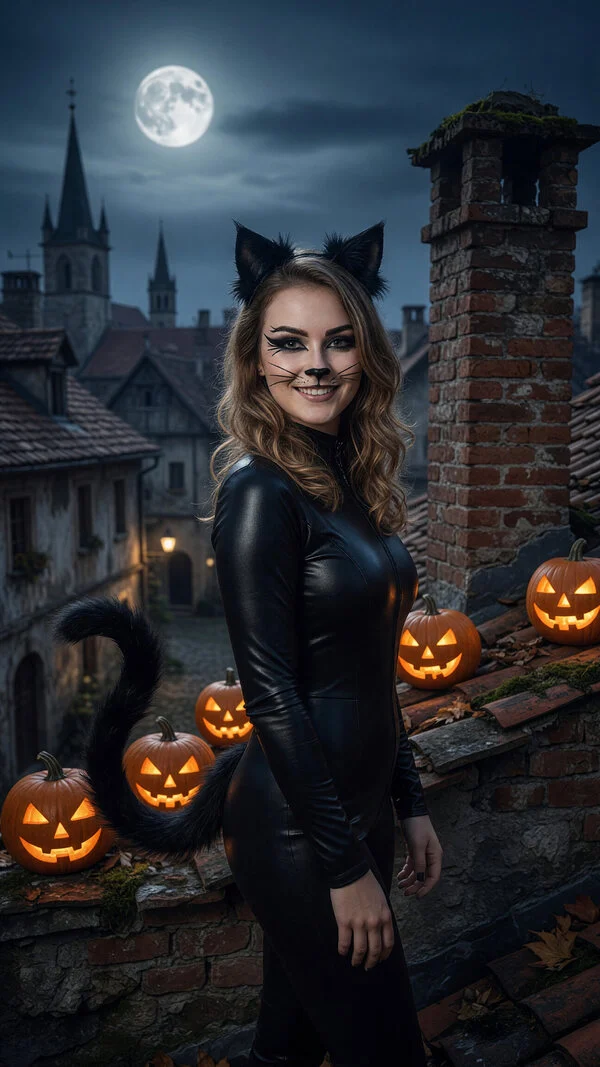
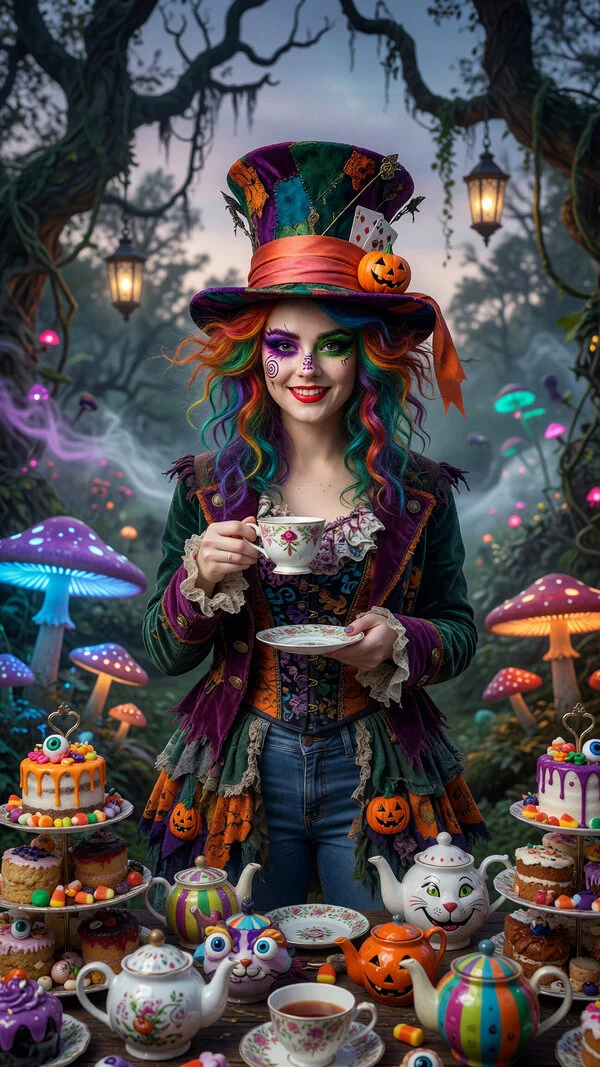
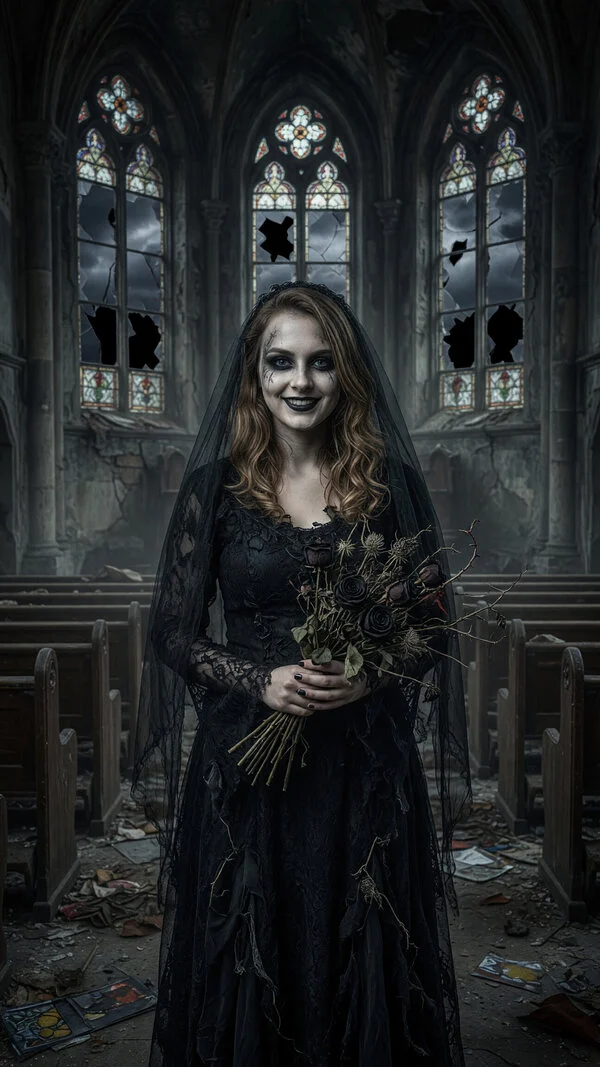
One ordinary photo, three AI Halloween costumes: witch, vampire and cat. Real results from the app, no retouching.
No costume for Halloween? Try one on your photo instead
Most people start looking for a costume in the last week of October, when the stores are picked over and online orders won’t arrive in time. If the costume is only needed for a picture — a story, a profile photo, the group chat, a card for friends — you don’t have to own it.
Photo Shoot in PixiFixi takes an ordinary photo and dresses you in a complete costume, with makeup and a full set: a witch’s cottage, a gothic castle, the deck of a pirate ship. A face filter can’t do that — a filter adds ears or a mask on top of what’s already in the frame. Here the whole picture is rebuilt around you, and the face is still yours. If you want to change only the outfit and keep the original background, that is a different tool — see how to change clothes in a photo with AI.
Of all the no-costume Halloween ideas — face paint, a themed T-shirt, “I’m dressed as myself” — this is the only one that still gives you a real costume in the picture. There is a second use, too: an AI Halloween costume try-on before you buy or sew one for the party. Try five and see which one actually suits you.
How to try on a Halloween costume with AI, step by step
Go to app.pixifixi.app and create an account — you get free starter credits.
Upload a photo from your gallery or take one with your phone camera.
Choose the Photo Shoot tool.
Open the Halloween category and tap a costume — you can pick up to four at once.
Tap Apply and wait about 30 seconds.
Download the picture or try another costume.
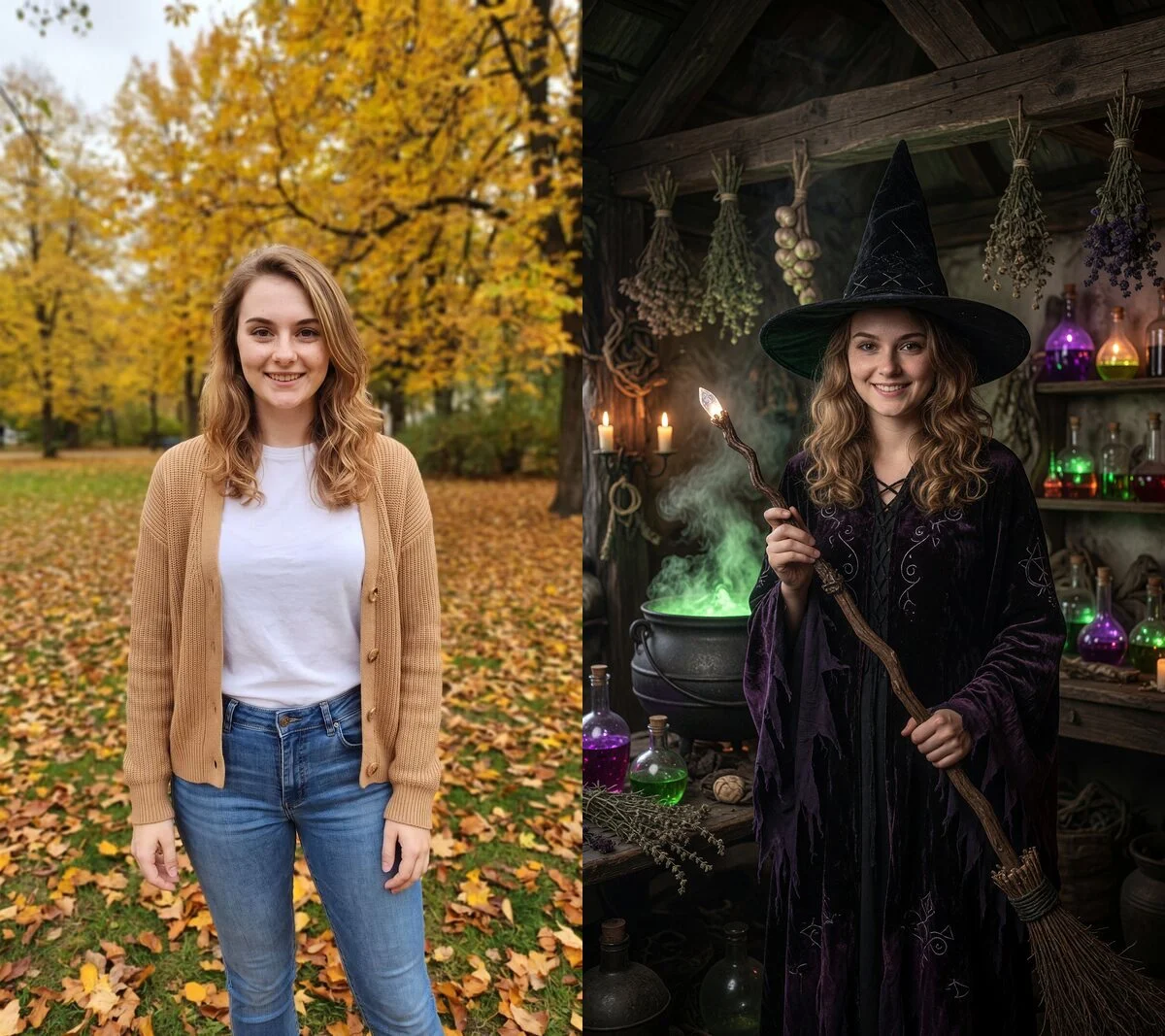
Before and after: a photo in the park turned into the “Witch” style. Same face — new costume, makeup and set.
Your photo can look like this too
Try it on your own picture — no card, no subscription, and you get free credits to start.
The whole transformation, recorded in the app: from upload to a finished witch.
When you select several costumes at once, you get a separate photo for each — handy when you want to compare ideas side by side before choosing one.
AI Halloween costume ideas — 6 looks from one photo
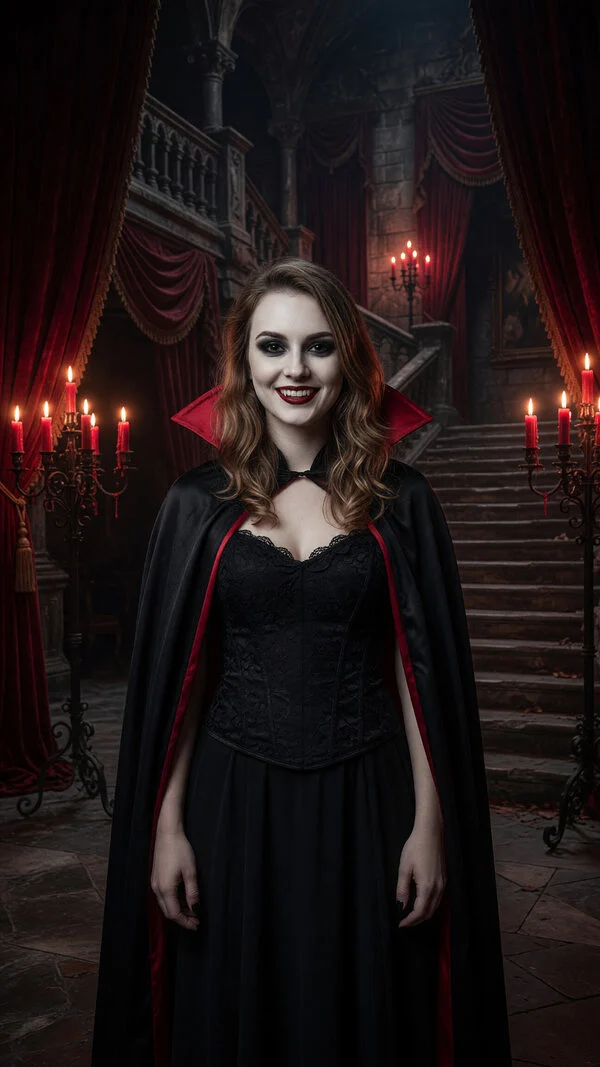
Every picture below was made from the same starting photo. Each one is a different style from the Halloween category, generated with a single tap.
VampireCatPirateMad HatterGothic Bride
The witch is in the before-and-after above. Notice that each style is more than an outfit: the vampire gets a candlelit castle, the cat a rooftop with pumpkins and a full moon, the pirate a ship, and the Mad Hatter a very strange tea party.
For a profile picture — styles with the face front and centre: vampire, cat, Wednesday Addams, Dia de los Muertos.
For something scary — zombie, skeleton, Grim Reaper, Corpse Bride, Beetlejuice.
For something funny — Mad Hatter, clown, pirate, scarecrow.
For something elegant — Morticia Addams, Black Swan, Phantom of the Opera, Cruella de Vil.
For men — werewolf, Frankenstein, Joker, Edward Scissorhands, pirate, Jack Skellington.
Halloween AI photo prompts to try
The 40 ready-made styles need no prompt at all. If you want a costume that isn’t on the list, type your own description in Photo Shoot instead of picking a style. The prompts that work best name three things: the costume, the setting and the light. For example:
“a pumpkin costume in an orchard at dusk, lanterns in the trees”
“a sugar-skull face with flowers in my hair, candlelit altar, warm glow”
“a ghostly bride in a foggy graveyard under a full moon”
“a classic movie monster on a black-and-white 1930s film set”
“a witch on a broomstick above a small town at night, purple sky”
You don’t need to add “keep my face” — PixiFixi already tells the AI to keep the people from your photo in every Photo Shoot generation, so a short description of the costume is enough.
Which photo works best
The quality of the costume depends mostly on the photo you start with. Three things make the biggest difference:
Fill the frame. A photo from the knees or waist up works best. In a far-away full-body shot the face gets very few pixels and the AI holds the likeness less well.
A clear view of your face. No sunglasses, no cap shadow, facing the camera or slightly to the side.
Good light. A daytime photo by a window or outdoors beats a dark party photo.
The background doesn’t matter — it gets replaced by the costume’s set anyway. A photo in your kitchen or office is fine.
How do I put a Halloween costume on my photo with AI?
Upload a photo to PixiFixi, open the Photo Shoot tool, go to the Halloween category and tap one of the 40 ready-made costumes, such as Witch or Vampire. You don’t write a prompt — the costume, makeup, set and lighting are already built into the style. The picture is ready in about 30 seconds and costs 2 credits.
I have no Halloween costume. What can I do at the last minute?
If the costume is only for photos — a story, a profile picture, a group chat or a greeting card — you don’t need to buy one. Upload an ordinary photo and pick a Halloween style in PixiFixi: you get yourself in full costume, in a setting you couldn’t build at home. It won’t dress you for a party in person, but it lets you try several costumes before you decide which one to buy or make.
Will the AI keep my face?
Yes. The style changes the outfit, makeup and surroundings while your face stays yours. It works best with a photo in which you fill a good part of the frame — from the knees or waist up, face clearly visible. In a far-away full-body shot the face gets very few pixels and the likeness weakens.
How much does an AI Halloween photo cost?
One Halloween photo costs 2 credits and comes out at 2K resolution. New accounts get free starter credits, so you can try your first costume without paying. Credits are a one-off purchase with no subscription, and the smallest pack is $2.99 for 10 credits.
Which costumes can I try?
There are 40 Halloween styles: classic monsters (vampire, witch, zombie, werewolf, mummy, skeleton, ghost, Frankenstein), easy costumes (cat, pirate, devil, angel, clown, scarecrow) and characters from film and fiction — including Wednesday and Morticia Addams, the Joker, Harley Quinn, Cruella de Vil, Maleficent, Beetlejuice, Jack Skellington, the Mad Hatter, and Elphaba and Glinda from Wicked.
Can I make a Halloween profile picture?
Yes. Download the result in high resolution and set it as your profile picture on Instagram, TikTok, Facebook, WhatsApp or Discord. Styles with the face front and centre work best for profiles: vampire, cat, Wednesday Addams or Dia de los Muertos.
Can I describe my own costume?
Yes. Instead of a ready-made style you can type your own description in Photo Shoot, for example “a pumpkin costume in an orchard at dusk”. The ready-made styles are more reliable, though, because their scene and lighting are already fine-tuned.
Do I need to install an app?
No. PixiFixi runs in the browser on your phone or computer. Create an account, upload a photo from your gallery or take one with the camera, and pick a costume.
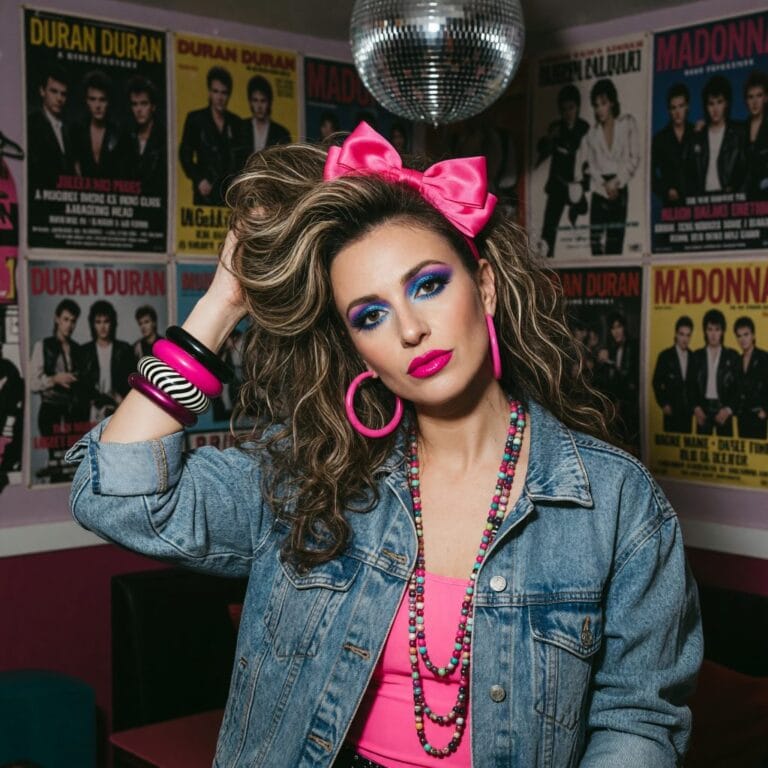
The starting photo in this article shows an AI-generated character created for demonstration. All costumes are real, unretouched results from the Photo Shoot tool.
13 October 20268 min read
Start with one photo
It takes a minute and you see the result straight away. No card, no subscription.