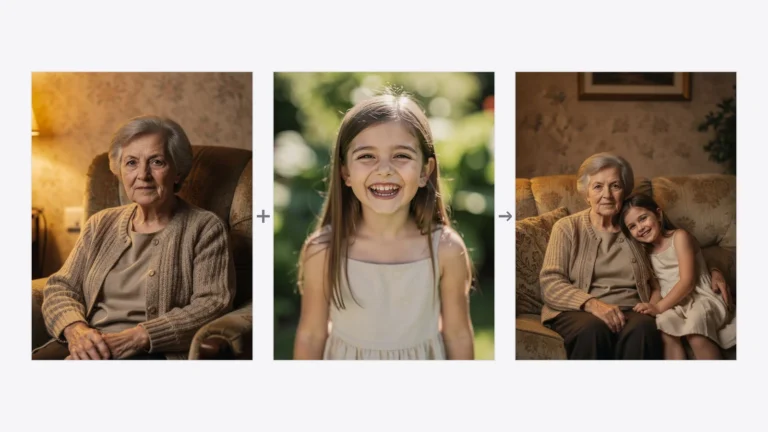
How to turn a photo into an Easter photo? Thanks to artificial intelligence, it is now easier than ever. In just a few seconds, you can transform a regular photo into a colorful Easter scene with eggs, spring flowers, or even an Easter bunny.
In the PixiFixi app we have just added 30 new Easter presets that allow you to automatically transform your photo into a festive Easter style – without Photoshop and without complicated editing tools.
What are Easter presets in PixiFixi?
Presets are ready-made photo styles created by our AI model. Simply upload your photo, choose a style, and artificial intelligence will automatically change the atmosphere of the image.
How to turn a photo into an Easter photo using PixiFixi AI – Easter presets
Your photo can look like this too
Try it on your own picture — no card, no subscription, and you get free credits to start.
Wait a few seconds for the AI to generate the new version.
Download the result and share it on social media.
What photos work best?
You will get the best results when your photo:
is well lit,
has a clear face or subject,
is not too blurry,
has a simple composition.
The AI works especially well with portraits or family photos – particularly if you want to create a festive picture to send to your loved ones.
Ideas for using Easter AI photos
Easter cards for family
Instagram and Facebook posts
Holiday profile pictures
Photo book decorations
Easter greeting graphics
Many users also use these images as unique Easter greetings – instead of sending a simple graphic, they send a personalized photo.
Creativity without limits
The best thing about AI tools is that you can experiment. The same photo can look completely different depending on the preset – from a romantic tulip portrait to a fun Easter bunny scene.
Try several presets and choose the one that fits your photo best.
Summary
With PixiFixi, turning a regular photo into an Easter photo takes just a few seconds. Upload your image, choose one of the 30 Easter presets, and let artificial intelligence create the magic.
If you want to create unique Easter photos – try PixiFixi today.