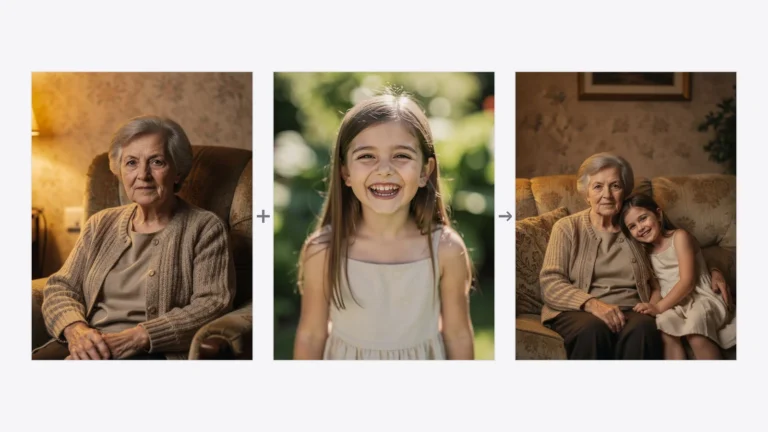


Women’s Day 2026 – March 8 is a great opportunity to prepare a unique gift or simply create a beautiful, stylish photo inspired by feminine themes. Thanks to artificial intelligence, you can transform an ordinary photo into a professional photoshoot in just a few seconds — full of flowers, elegance, and romantic atmosphere.
That’s why in the PixiFixi app we have added 50 new photoshoot styles inspired by International Women’s Day. Each of them allows you to transform an ordinary picture into a stylized photograph that works perfectly as a gift, a social media post, or a memorable keepsake for this special day.
What is PixiFixi?
PixiFixi is an online application that uses artificial intelligence to edit and transform photos. With it, you can in just a few moments:
- change the style of a photograph,
- create a professional photoshoot,
- improve photo quality,
- change the background or elements of the image,
- generate completely new versions of a photo.
Everything works directly in your browser — without installing programs and without needing to know complicated graphic tools. Just a few clicks and the AI prepares the final result.
When is Women’s Day?
International Women’s Day is celebrated every year on March 8. It is a holiday dedicated to women, their achievements, and their role in society. In many countries it is also an opportunity to express appreciation, respect, and gratitude toward women—both in personal and professional life.
In many places around the world, Women’s Day traditions include giving flowers, small gifts, or kind gestures. Recently, creative forms of gifts have become increasingly popular — such as personalized photos or stylized photoshoots generated with AI.
That is why many people now use tools like PixiFixi to create a unique photo or virtual photoshoot for Women’s Day — perfect for sending to someone special or sharing on social media.
How to transform a photo for Women’s Day (step-by-step guide)
1. Create an account in PixiFixi
First go to the PixiFixi application and create a free account.
Registration takes only a moment — you can use:
- an email address and password
- a Google account
- a Facebook account
After registration simply log in and open the application dashboard.
2. Upload your photo
The next step is very simple.
You can either:
- drag and drop a photo into the application
or - select a file from your computer or phone.
It can be:
- a portrait,
- a selfie,
- a vacation photo,
- a photo taken with your smartphone.
The clearer the photo, the better the final result.
3. Choose the “Photo shoot” tool
After uploading the photo, select the tool in the panel called:
“Photo shoot”
This PixiFixi feature transforms an ordinary photo into a professional photograph styled as different types of photoshoots — from family sessions and business portraits to artistic photography.
4. Choose the “Women’s Day” category
Inside the tool you will see different photoshoot categories.
One of them is “Women’s Day” — created especially for March 8.
You will find 50 ready-to-use styles, for example:
- romantic portraits with flowers
- elegant glamour sessions
- fashion-style photos
- soft feminine portraits in pastel colors
- artistic photos with a spring atmosphere
Simply choose one of them and click Apply.